Doximity Scribe Public-Evidence Assessment: Workflow, Privacy, and Pricing (2026)
 Lauren Bennett · September 2, 2026 · 28 min read · Published by Vero Scribe Inc.
Doximity Scribe is a credible free starting point for eligible U.S. clinicians who already use Doximity and can review, correct, and transfer every note. This is a public-evidence assessment, not a hands-on product review. Its strongest documented advantages are price, familiar access, mobile and web capture, custom templates, pre-charting, and integration with Doximity Dialer. Its most important documented limitations are U.S.-only eligibility, a public self-serve workflow that still appears to rely heavily on copying notes into the EHR, 29-day retention of notes and transcriptions, and limited public product-specific independent evidence.
That makes the buying decision unusually clear. If your practice needs a low-friction way to test ambient documentation and Doximity is already approved, Scribe deserves a pilot. If you need native EHR write-back, non-U.S. availability, centralized administration, contract-specific data residency, or independently validated product performance, compare other options before standardizing.
Commercial disclosure: Vero Scribe Inc. publishes this article and sells an AI medical scribe that competes with Doximity Scribe. Doximity did not sponsor, approve, or review this page. Doximity product claims are linked to Doximity sources and kept separate from independent ambient-scribe research. No comparative product score is assigned without a completed, reproducible live test.
| Decision question | Source-checked answer on September 2, 2026 |
|---|---|
| Price | Free for eligible verified U.S. physicians, NPs, PAs, CRNAs, and listed students, according to Doximity. |
| Surfaces | Doximity mobile app, website, and supported Dialer voice and video workflows. |
| Templates | Progress notes, H&Ps, consultations, procedures, dictation, and custom templates. |
| Session limit | Up to 140 minutes per session in the current help documentation. |
| Generation time | Typically under one minute, according to Doximity. This is not an independent benchmark. |
| EHR handoff | The product page describes sending notes to a chart, while the help center documents reviewing and copying text into the EHR. Confirm the exact account-level workflow. |
| Retention | Doximity says audio is discarded after note generation. Notes and transcriptions remain available for 29 days. |
| Best fit | Eligible U.S. clinicians who want a free pilot and can tolerate a review-and-transfer workflow. |
Is Doximity Scribe worth using in 2026?
For an eligible clinician, yes, it is worth a controlled pilot. Free access changes the threshold for evaluation. A practice does not need to justify a recurring license before learning whether ambient documentation fits its visit mix, review habits, and patient population.
Free does not remove workflow cost. The clinician still spends time obtaining required consent, starting and stopping capture, reviewing the draft, correcting errors, moving the note into the EHR, reconciling orders and medications, and authenticating the final record. A free draft that needs extensive correction may cost more clinician time than a paid product with better specialty fit or a more direct EHR workflow. The relevant measure is not price per month. It is acceptable finalized notes per hour of clinician effort.
The product is especially attractive when a clinician already uses Doximity Dialer or Ask. Doximity positions Scribe inside a broader clinical AI suite, so documentation, telehealth, and reference work can happen within one account. That convenience is real, but it should not be mistaken for proof that every feature shares the same data flow, retention rule, or EHR connection. Evaluate the Scribe workflow itself.
What is Doximity Scribe?
Doximity Scribe is an ambient AI documentation tool. It captures speech from an in-person visit, dictation, or supported Dialer call, then produces an editable clinical note in a selected format. Doximity describes the output as EHR-ready, which means the clinician is expected to review it and place the approved text in the medical record.
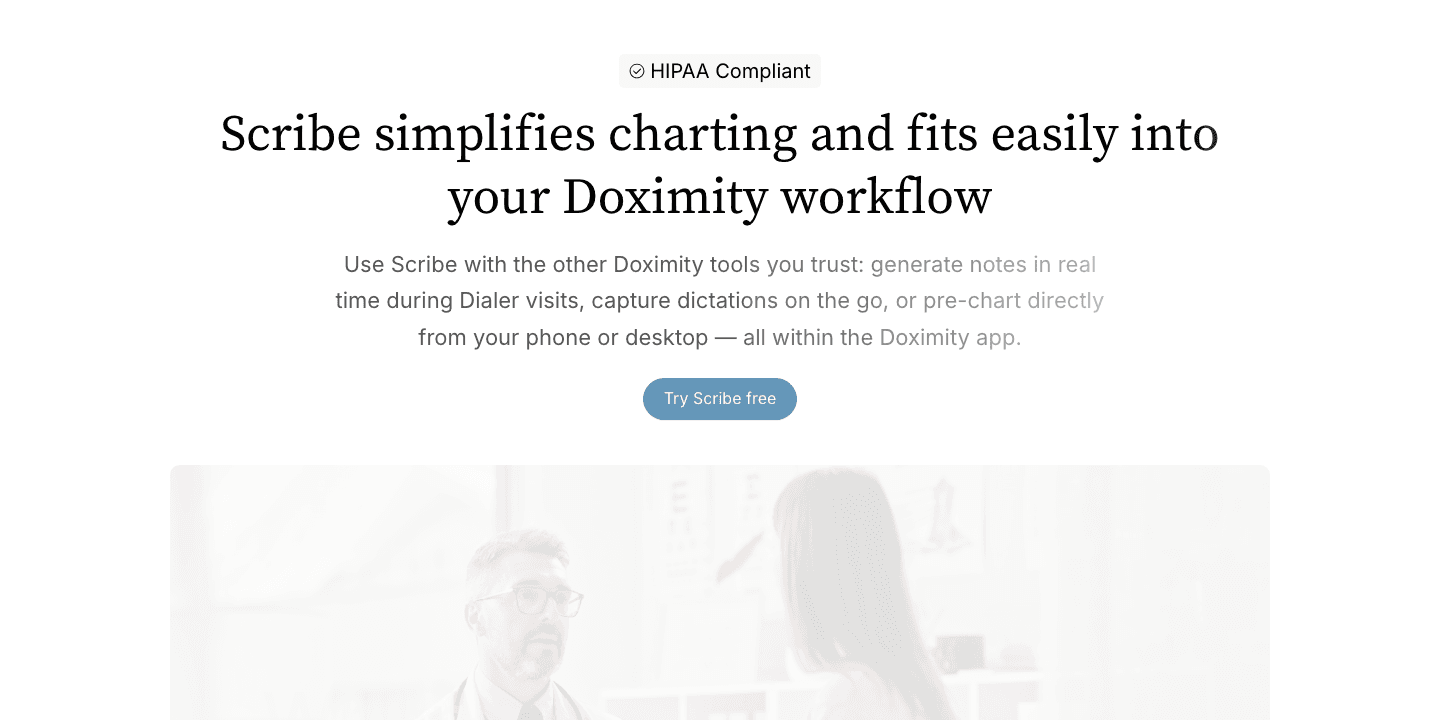
The current Doximity Scribe product page describes three core steps: choose a note type, start the visit, then generate and review the note. The more detailed Doximity help guide documents pause and resume controls, note editing, template changes, copying, and use on iOS, Android, and the web.
Doximity began the broader Scribe rollout in July 2025 after reporting that more than 10,000 Doximity members had helped build the product. In June 2026, Doximity reported that 150 health systems had purchased its broader Clinical AI Suite, which includes Scribe, Ask, and Dialer. These are vendor-reported development and suite-adoption figures, not measures of Doximity Scribe accuracy, time savings, safety, or clinical outcomes.
Who is eligible?
Doximity’s current help center lists free access for verified U.S. physicians, nurse practitioners, physician assistants, certified registered nurse anesthetists, and medical, NP, PA, and CRNA students. A verified Doximity account is required.
Geography matters. Doximity’s privacy policy, effective June 9, 2026, says the services are not intended for users outside the United States and that non-U.S. healthcare professionals are not eligible for membership. Canadian clinicians searching for a free Doximity AI scribe should not assume access or Canadian privacy fit from U.S. HIPAA language.
Employer rules matter too. A free individual account does not automatically authorize use with an employer’s patients. Doximity’s Terms of Service, effective July 20, 2026, place responsibility on the user to comply with applicable disclosure duties and obtain required consents and authorizations before using its AI tools. Before using protected health information, confirm organizational approval, the applicable BAA, consent requirements, device policy, acceptable EHR transfer method, and whether the employer has its own enterprise agreement.
Doximity Scribe pricing
The public price for eligible users is $0. Doximity presents free Scribe access as part of its clinician platform rather than a time-limited trial. The company does not publish a separate paid self-serve Scribe tier on the product or help pages reviewed for this article.
That answer needs two qualifications.
First, eligibility is part of the price. A person without a verified eligible U.S. clinician account cannot treat the product as a generally available free transcription service. Second, enterprise access can involve a different commercial relationship. Doximity markets its Clinical AI Suite to health systems and says institutional BAAs are available, but public enterprise pricing is not listed.
For a clinic comparing tools, record both direct and indirect cost:
- License or enterprise contract cost
- Clinician review and correction minutes
- Setup and template-building time
- EHR transfer and reconciliation time
- Training, privacy, and security review
- Failed-session recovery
- Support and escalation effort
- Time lost when a note expires before it is filed
A useful pilot compares those costs over the same visit types and counts only notes that were reviewed, corrected, and acceptable for finalization.
How the Doximity Scribe workflow works
1. Choose a capture surface
On mobile, the clinician opens the Doximity app and selects the Scribe tab. On the web, the clinician goes to the Scribe area and starts a new note. Doximity also documents Scribe during eligible Dialer voice and video calls.
The choice affects workflow. A phone on a flat surface near the speakers may capture an in-room conversation more consistently than a laptop placed across the room. A Dialer call has a different audio path and consent experience. Test each surface separately rather than carrying one result across all three.
The current Dialer Scribe help guide also identifies an important boundary: Dialer Scribe does not support calls with an additional participant or interpreter. The same guide documents Scribe during Dialer voice and video calls on mobile and the website. A clinic should test the exact device and call type it plans to use and maintain another documentation path for interpreter-assisted or multi-participant visits.
2. Select a note type and language
The mobile default may differ from the web default. Doximity documents dictation as a mobile default and a progress note as a web default. Available formats include common clinical notes and custom templates.
For non-English encounters, Doximity says the user can select a dedicated non-English option and that processing may take longer. The documentation does not supply a public language-by-language accuracy table. Mixed-language visits, interpreters, and code-switching therefore need their own test cases.
The disclosed model is a dated implementation fact
Doximity’s help center states that Scribe uses GPT-4o to summarize conversations and that OpenAI supplies transcription and summarization technology under a BAA with Doximity. That identifies a named model family in the public workflow, but it does not identify every model build, prompt, routing rule, or future change that may affect output.
Treat the model name as a dated configuration fact, not a permanent performance claim. A defensible pilot records the Doximity app or website version, template version, test date, and any model or feature notice available at the time. Repeat a smaller regression set after a material model, prompt, language, or integration change because results from an earlier configuration may not carry forward.
3. Capture, pause, or resume
The clinician starts the session and can pause or resume it. Doximity lists a 140-minute session limit. Pausing is important for consent boundaries, sensitive conversation, physical examinations, staff interruptions, or any moment that should not enter the captured encounter.
The operational question is whether everyone knows who controls capture and how they can tell whether it is active. A small indicator on one phone is not a complete clinic policy.
4. Generate and review the note
Doximity says generation typically takes under one minute. The resulting note can be edited, copied, changed to a different note type, or refined with Ask. Desktop documentation also describes Smart Edits.
Review should begin with the highest-consequence content: assessment, plan, medication changes, allergies, orders, follow-up timing, referrals, and safety-net instructions. Then verify numbers, negation, chronology, speaker attribution, physical findings, and any statement that was not explicitly supported by the encounter or approved context.
5. Transfer to the medical record
This is the most important ambiguity in the public materials. The product page says a clinician can send the note directly to the patient’s chart. The help center repeatedly describes copying the reviewed note from Doximity and pasting it into the EHR.
Those statements may describe different enterprise and self-serve configurations. Do not assume native write-back. Ask Doximity or the health system to demonstrate the exact workflow available to the proposed account, including patient and encounter matching, draft status, authorship, audit history, error handling, and confirmation that the note reached the intended chart.
Feature assessment: what is verified and what still needs testing
| Capability | Public evidence | What a clinic still needs to test |
|---|---|---|
| Ambient capture and dictation | Documented on mobile and web, with sessions up to 140 minutes. | Noise, distance, overlap, specialty vocabulary, numbers, and interruptions. |
| Clinical note templates | Progress, H&P, consult, procedure, dictation, and other formats are described. | Section boundaries, local headings, required negatives, and note bloat. |
| Custom templates | Doximity documents creating, previewing, reordering, and sharing custom templates. | Prompt governance, version control, specialty consistency, and unsafe inferred content. |
| Pre-charting | A June 2026 release note describes typed, dictated, or pasted pre-visit context. | Conflict handling when prior context differs from the live encounter. |
| Refine with Ask and Smart Edits | Current help content lists refinement and desktop editing tools. | Whether edits preserve source meaning and avoid adding unsupported clinical claims. |
| Dialer workflow | Doximity documents Scribe in selected Dialer voice and video calls. | Consent, call failure, audio quality, note association, and post-call access. |
| EHR handoff | Public help documentation supports copying notes; broader chart transfer is marketed. | Exact EHR, direct write capability, patient matching, acknowledgements, and reconciliation. |
| Security and retention | Doximity publishes a BAA, encryption statements, audio deletion, and 29-day note availability. | Account controls, logs, exports, deletion evidence, subprocessors, incidents, and contract terms. |
Privacy and security assessment
Doximity states that Scribe is HIPAA compliant, that its platform has SOC 2 Type 2 and HIPAA/HITECH controls, and that data is encrypted in transit and at rest. Its security overview says Doximity enters into a BAA with individual users at registration and offers institutional BAAs for enterprise relationships. The Scribe help page says Doximity has a BAA with OpenAI for transcription and summarization technology.
These are meaningful vendor disclosures. They are not a substitute for the clinic’s own obligations. Current HHS Business Associate guidance explains that a BAA is required when a business associate creates, receives, maintains, or transmits electronic PHI for a covered entity. HHS also expects regulated entities to evaluate risks, access, audit controls, integrity, authentication, transmission security, and incident handling under the HIPAA Security Rule.
Contract terms your organization should review
Doximity’s public Terms of Service and Business Associate Agreement use different categories and rules. The table below summarizes the published language for procurement review; it does not determine which provision controls a particular customer, workflow, or jurisdiction. An enterprise agreement may differ from the self-serve terms.
| Data category | What the public documents say | Question for the buyer |
|---|---|---|
| PHI handled for covered services | The BAA permits Doximity to process PHI with automated, machine-learning, transcription, summarization, and generative-AI technologies to provide, support, secure, maintain, improve, and administer covered services. It also requires safeguards and downstream restrictions for subcontractors handling PHI. | Which account, covered service, enterprise agreement, and subprocessor list apply to this deployment? |
| Non-PHI User Content | The Terms define submissions to Ask and Scribe as User Content and grant Doximity a broad license, consistent with applicable law, that includes operating and improving services and developing or improving AI and machine-learning models. | Which submitted content is governed as PHI under the BAA, which is non-PHI User Content, and does an enterprise contract narrow the standard license? |
| Usage Data | The Terms say Usage Data can include technical, device, engagement, and member-linked information and may be used for specified business purposes. They state that Usage Data does not include PHI, which is governed by the BAA. | Which administrator reports, member identifiers, analytics, advertising uses, and opt-out controls apply to the proposed account? |
| De-identified or aggregated data | The Terms allow creation and lawful use of anonymous, aggregated, or de-identified data. The BAA authorizes HIPAA-compliant de-identification and data aggregation and says data that meets the de-identification standard is no longer PHI under that agreement. | What de-identification method, validation, retention, permitted use, and contractual limit will the organization require? |
| Local and EHR copies | Doximity’s help center describes copying reviewed notes into the EHR and says Doximity notes and transcriptions remain available for 29 days. Copies placed in the EHR or another local system follow that system’s retention and access controls. | Where can users copy, print, download, or paste content, and how will the clinic prevent unmanaged local files or misfiled notes? |
The practical step is to map each data category to the agreement that governs it, then have the organization’s privacy, security, and legal teams confirm the interpretation. The public language alone does not establish that a specific deployment is compliant or noncompliant.
Audio deletion and text retention are different facts
Doximity says Scribe audio is processed and discarded after note generation. The help center also says generated notes and transcriptions are stored for 29 days. Both can be true. Deleting the recording does not mean the transcript or generated note disappears immediately.
That creates a practical control requirement: every note needs an owner, a review deadline, a confirmed destination, and a deletion or expiration policy. A clinician should not use the Doximity inbox as the permanent medical record.
Questions to answer before using patient information
- Which Doximity agreement and BAA cover this exact Scribe account?
- Does the employer approve the tool and the proposed device?
- What patient notice or consent is required by law and policy?
- Which subprocessors receive audio, transcript, prompts, context, or generated notes?
- Are audio, transcripts, notes, logs, backups, and de-identified derivatives retained for different periods?
- Is customer content used for model training or product improvement under any setting or exception?
- Can administrators control access, revoke users, inspect activity, and export evidence?
- How are incidents, outages, subpoenas, and deletion requests handled?
- What data crosses from Scribe into Ask, Dialer, or other Doximity services?
- How does the clinic prove that the final note reached the correct patient and encounter?
What does the evidence show?
The evidence must be separated into three levels.
Product capability evidence comes from Doximity’s product pages, help center, security materials, release notes, and agreements. It can verify what Doximity says the product does, what it costs, who can access it, and how the documented workflow operates.
Vendor experience evidence includes testimonials and adoption announcements. It can show that named clinicians or organizations report using the product. It cannot establish general accuracy, time savings, safety, or superiority because the selection process, comparator, and complete results are not independently controlled.
Independent clinical evidence should measure a named product version in a defined setting with reproducible methods. We did not locate a peer-reviewed, product-specific Doximity Scribe validation study in the public sources checked for this article. That absence does not prove poor performance. It means broad ambient-scribe findings should not be presented as Doximity results.
A 2026 randomized crossover trial comparing two ambient scribe products found meaningful differences between products and only modest changes in some objective efficiency measures. The authors emphasized that evaluation should include pricing, support, and strategic fit as well as tool quality. The study did not identify Doximity Scribe as one of the compared products.
A 2026 prospective general-practice study found reduced documentation time and workload, but notes still required review and could miss symptoms, measurements, non-verbal context, or details in complex and mixed-language visits. That study also evaluated a different product and healthcare setting. Its value here is the failure-mode checklist, not a performance claim about Doximity.
Reproducible Doximity Scribe test protocol
Current test status
This version verifies Doximity’s public product, help, privacy, security, agreement, and release materials through September 2, 2026. The public product page was rendered and captured for visual verification. A live Scribe session was not run because access requires an eligible verified Doximity account, and no authorized test account or completed clinician review was available for this draft. No patient data was used.
That limitation is preferable to an invented hands-on verdict. Doximity’s current Terms of Service also prohibit using the service to develop, test, or enhance a competing product or in a way reasonably construed as competitive. Because Vero sells a competing scribe, Vero should not run a Doximity benchmark without appropriate written authorization. The following protocol is therefore a procurement framework for an eligible, authorized organization or independent clinician, not a claim that Vero completed the test.
Use eight synthetic test cases
| Test case | Required challenge | Primary failure to measure |
|---|---|---|
| Routine follow-up | One stable condition, one medication continuation, and one follow-up interval. | Unnecessary verbosity or invented changes. |
| Multi-problem visit | Three problems with distinct assessments and plans. | Cross-contamination between problems. |
| Negation and correction | A symptom denied, then a different symptom clarified; one statement explicitly retracted. | Wrong polarity or retention of retracted content. |
| Medication detail | Drug, dose, route, frequency, start or stop instruction, and reason. | Incorrect number, unit, medication, or action. |
| Speaker attribution | Clinician, patient, and caregiver with different observations. | A statement assigned to the wrong person. |
| Noise and overlap | Controlled background noise and two brief overlapping speech segments. | Omission, duplication, or fabricated reconstruction. |
| Pre-chart conflict | Prior plan says continue; live encounter says stop. | Old context overriding the current decision. |
| Interrupted session | Pause, resume, and a simulated connection interruption. | Lost content, duplication, or failed recovery. |
Record the device model, operating system, Doximity app or browser version, microphone placement, room type, measured background noise if available, speaker count, language, template name and version, session duration, generation time, and test date. Use the same source script for every product in a comparison.
Score clinically meaningful errors, not prose similarity
For each note, count:
- Unsupported additions
- Material omissions
- Wrong-speaker attribution
- Negation or uncertainty errors
- Medication, dose, unit, date, or measurement errors
- Incorrect chronology
- Incorrect section placement that changes meaning
- Missing follow-up owner or timing
- Correction minutes
- Total minutes from setup to acceptable finalized note
Define an acceptable note before testing. A useful threshold is not “looks good.” It is a note that contains no unresolved high-consequence error and can be finalized after a stated maximum correction time. Publish every test case, denominator, exclusion, product version, and failure. Do not average away a medication or negation error.
Pros and limitations
Where Doximity Scribe looks strong
- No subscription cost for eligible users. That makes a controlled pilot accessible.
- Existing Doximity account and workflow. Clinicians who already use Dialer or Ask avoid another standalone login.
- Mobile and web availability. The product supports in-person, dictation, and telehealth patterns.
- Flexible templates. Default formats, custom instructions, previews, and pre-charting cover more than a fixed SOAP note.
- Audio deletion. Doximity says encounter recordings are discarded after note generation.
- Published BAA and security materials. Buyers can inspect more than a marketing badge.
- Explicit clinician review controls. Editing, copying, template changes, and refinement are documented.
Where buyers should be cautious
- U.S.-only eligibility. The product is not a general Canadian or international option.
- Product-specific independent evidence is limited. Public testimonials are not a substitute for a controlled study.
- EHR integration needs account-level proof. Copy-and-paste remains the clear public help workflow.
- Derived text remains for 29 days. Audio deletion should not obscure note and transcription retention.
- AI refinement can create new errors. A rewritten note still needs source-aware review.
- Free can reduce procurement scrutiny. Organizational approval and risk analysis remain necessary.
- Complex visits can expose failure modes. General ambient-scribe research flags speaker, language, physical-exam, measurement, and multi-problem risks.
Where Vero Scribe may be the better fit
Vero publishes this assessment and competes with Doximity, so the comparison below uses only current public product information. It is not an independent head-to-head test, and it does not claim that Vero produces more accurate notes. Vero is the stronger fit when a clinic needs a broader clinical workspace, Canadian support, or more control over how documentation moves from source material to a reviewed output. Doximity retains a clear advantage for an eligible U.S. clinician who wants unlimited Scribe access at no subscription cost or already depends on Doximity Dialer.
| Decision need | Where Vero differs | What the buyer should verify |
|---|---|---|
| One workspace beyond the note | Vero's published feature set brings note generation, clinical chat, cited evidence, document handling, patient context, and reviewable ICD-10 suggestions into one workspace. This is broader than choosing an ambient note generator alone. | Which modules are included in the selected plan, how roles are assigned, and whether the clinic actually needs each workflow. |
| Canadian and U.S. workflows | Doximity limits membership to eligible U.S. clinicians. Vero supports reviewable ICD-10-CM and ICD-10-CA suggestions, and its privacy policy describes data localization for Canadian and U.S. customers. | The applicable province, state, privacy agreement, data region, code set, and employer approval for the proposed use. |
| More source material for a note | Vero's Scribe workflow accepts encounter audio, dictation, typed context, and uploaded files in the same encounter. That can be useful when a referral, prior report, or other approved document must inform the draft. | Supported file types, extraction quality, conflict handling, provenance, and what happens when uploaded context disagrees with the live encounter. |
| Evidence and coding beside documentation | Vero exposes cited evidence search and candidate ICD-10-CM or ICD-10-CA suggestions beside the documentation. These tools can reduce application switching, but the clinician or qualified coder still owns the final decision. | Source quality, citation traceability, code-release currency, local coding rules, and the review controls used before information leaves Vero. |
| Output and retention control | Vero documents copy, PDF, DOCX, email, and print outputs. Its current Scribe materials state that audio is not stored and that customers can configure automatic deletion from 1 to 365 days. Doximity's public Scribe documentation specifies a 29-day window for notes and transcriptions. | Which export channels the organization permits, the exact contract terms, administrator controls, deletion evidence, and the final medical-record retention policy. |
| Price model | Doximity is free for eligible verified U.S. clinicians. Vero's published pricing includes 10 free actions each month, then an unlimited Pro plan at $69 per month billed annually or $89 month to month. Doximity has the stronger direct-price proposition when its eligibility and workflow are sufficient. | Correction time, failed-session recovery, support, implementation, EHR transfer, and the cost per acceptable finalized note rather than subscription price alone. |
In practical terms, Vero may be better for a Canadian clinic, a team that wants documents and patient context to contribute to the draft, or a clinician who wants evidence and coding support inside the same review flow. Doximity may be better for an eligible U.S. clinician whose priorities are a zero-dollar Scribe subscription and tight proximity to Dialer. The responsible choice is still the one that passes the same synthetic cases, privacy review, correction-time measurement, and EHR handoff test in the intended setting.
Who Doximity Scribe is best for
Doximity Scribe is best suited to an eligible U.S. clinician who already has a verified Doximity account, wants a no-cost entry into ambient documentation, uses routine outpatient or supported telehealth workflows, and can reliably review and transfer each note.
It may be particularly attractive for clinicians using Doximity Dialer because the surrounding call and documentation tools sit in the same platform. A clinician who values custom templates and pre-charting can also build a more specific workflow than a fixed note generator allows.
Compare other products when any of these are mandatory:
- Canadian or non-U.S. clinician access
- Canadian data residency or a jurisdiction-specific privacy posture
- Demonstrated native EHR write-back for the exact EHR and account
- Centralized template governance, access administration, and reporting
- Contracted implementation and support response times
- Product-specific independent validation in the intended specialty
- A retention model shorter or more configurable than the documented 29-day text window
- A broader documentation workspace that combines multiple files, forms, coding support, or other context
Dated alternatives matrix by buyer need
This is a source-checked starting list, not a ranking or a claim that one product is superior. Vero did not run comparative product sessions for this article. Public features, eligibility, integrations, and plans can differ by contract and can change after the September 2, 2026 verification date.
| Buyer need | Products to investigate | Why they enter the shortlist | What still needs proof |
|---|---|---|---|
| Free self-serve starting point | Doximity Scribe; Heidi | Doximity publishes free access for eligible verified U.S. clinicians. Heidi’s current pricing documentation describes a free plan with unlimited transcription and standard-note generation. | Eligibility, advanced-feature limits, approved data use, specialty fit, and the complete workflow cost. |
| Native or embedded EHR workflow | Abridge ; Microsoft Dragon Copilot | Abridge documents Epic-integrated workflows and integrations with Epic, Oracle Health, and athenahealth. Microsoft documents embedded EHR access, Epic workflows, EHR sync, and an SDK for EHR vendors. | Support for the exact EHR edition, launch context, write destination, patient matching, acknowledgements, implementation effort, and price. |
| Enterprise administration | Microsoft Dragon Copilot ; Abridge; Heidi Practice or Enterprise | Microsoft publishes Dragon admin-center documentation. Abridge markets enterprise health system deployments. Heidi’s plan documentation lists team management, shared templates, integration access, and enterprise support options. | Role controls, audit exports, retention settings, service levels, change management, analytics, and contract-specific security evidence. |
| Canadian or broader non-U.S. availability | Microsoft Dragon Copilot | Heidi publishes localized Canadian product pages and broader international availability. Microsoft announced Dragon Copilot availability in Canada and several European markets in 2026. | Exact country availability, data residency, privacy terms, language features, EHR support, and health-system procurement route. |
| Multilingual encounters | Abridge | Nabla’s help center lists more than 35 encounter languages. Heidi publishes multilingual capabilities, and Abridge reports support across 28 or more languages. | Accuracy for the required language pair, code-switching, interpreters, accent performance, output language, and clinician correction time. |
The matrix is intentionally organized around requirements rather than brand scores. A product belongs on the shortlist only when its public evidence matches a mandatory need; it should remain there only after contract review and a comparable local test.
Our broader AI medical scribe guide explains how to compare products across these dimensions. The medical scribes for doctors guide separates AI and human workflows, while the AI medical transcription guide provides a deeper accuracy and privacy testing framework.
Assessment conclusion
Doximity Scribe earns a place on the shortlist for eligible U.S. clinicians because it removes the subscription barrier without stripping the workflow down to plain dictation. Current public documentation supports mobile and web capture, custom templates, pre-charting, editing, Ask-based refinement, Dialer use, published security materials, audio deletion, and 29-day note access.
The right conclusion is not that free makes Doximity Scribe the best medical scribe. It is that free makes it easy to test. The product should win or lose on acceptable finalized-note rate, correction time, clinical error pattern, EHR handoff, patient comfort, and organizational controls. Until a live, reproducible product test and qualified clinical review are completed, those results should remain open rather than filled with vendor claims.
If your team is comparing Doximity with a paid workflow, use the same synthetic encounters and scoring rules for both products. That produces a decision based on evidence instead of a feature checklist written by either vendor.
Sources and verification notes
The following sources were checked on September 2, 2026. Doximity pages establish what the company publicly states about its product, agreements, and adoption. HHS pages describe federal HIPAA responsibilities. Alternative-vendor pages support only the dated shortlist facts attributed to those vendors. The two research articles provide independent category-level evidence and do not validate Doximity Scribe specifically.
Vero product sources used in the comparison
- Vero: AI medical scribe workflow
- Vero: Published product features
- Vero: Current pricing
- Vero: Privacy policy and regional data-localization statement
- Vero: ICD-10-CM and ICD-10-CA suggestions
Doximity product and workflow sources
- Doximity: Scribe product page
- Doximity Help Center: How to use Doximity Scribe
- Doximity Help Center: Create and use custom note templates
- Doximity: Scribe pre-charting release note
- Doximity Help Center: Use Scribe in Dialer voice and video calls
Doximity privacy, security, and company sources
- Doximity: Privacy policy, effective June 9, 2026
- Doximity: Terms of Service, effective July 20, 2026
- Doximity: Business Associate Agreement
- Doximity: Security overview
- Doximity: Meet Doximity Scribe, July 24, 2025
- Doximity: 150 Health Systems Are Now on the Clinical AI Suite, June 18, 2026
Alternative product sources
- Abridge: Unified Healthcare Intelligence Platform and EHR integrations, June 11, 2026
- Microsoft Learn: Dragon Copilot documentation and administration
- Microsoft: Dragon Copilot 2026 availability and workflow update
- Heidi Help Center: Current pricing plans and free-plan features
- Heidi Help Center: Plan comparison and enterprise capabilities
- Heidi: Canadian product page
- Heidi: Published multilingual patient-charting capabilities
- Nabla Help Center: Supported languages, updated May 7, 2026
Federal guidance and independent research
- U.S. Department of Health and Human Services: Summary of the HIPAA Security Rule
- U.S. Department of Health and Human Services: Business Associates guidance
- Journal of the American Medical Informatics Association: Randomized crossover comparison of ambient scribe technologies
- npj Digital Medicine: Ambient scribe use in general practice
Frequently asked questions about Doximity Scribe
Direct answers about eligibility, pricing, workflow, EHR transfer, templates, retention, privacy, evidence, limitations, and who should test Doximity Scribe.
What is Doximity Scribe?
Doximity Scribe is an ambient AI documentation tool for eligible verified U.S. clinicians. It captures an encounter or dictation, generates an editable clinical note, and supports templates such as progress notes, H&Ps, consultations, procedures, and custom formats.
Is Doximity Scribe free in 2026?
Doximity says Scribe is free for verified U.S. physicians, nurse practitioners, physician assistants, CRNAs, and eligible students. A verified account is required, and an organization may still require approval before the tool is used with patient information.
Who can use Doximity AI Scribe?
The current Doximity help documentation lists U.S. physicians, NPs, PAs, CRNAs, and medical, NP, PA, and CRNA students as eligible. Doximity’s privacy policy says its services are not intended for users outside the United States.
Does Doximity Scribe work on iPhone, Android, and the web?
Yes. Doximity documents Scribe workflows in its iOS and Android mobile apps and on its website. Doximity also offers a desktop application as part of its broader Clinical AI Suite, although enterprise deployment details may differ from self-serve access.
How long can a Doximity Scribe session be?
Doximity’s help center states that a Scribe session can record for up to 140 minutes. Practices should still test their normal and longest visit types, interruptions, and recovery before relying on that ceiling.
How quickly does Doximity Scribe generate a note?
Doximity says note generation typically takes under one minute. That is a vendor-stated expectation, not a guaranteed latency for every device, connection, language, template, or encounter length.
Show all questions
Does Doximity Scribe integrate with an EHR?
Doximity’s product page describes sending a note to the chart, while its public help center instructs users to review and copy the note into the EHR. Buyers should confirm the exact transfer method, supported EHR, write-back behavior, identity matching, and reconciliation available to their account or enterprise agreement.
Can Doximity Scribe create custom note templates?
Yes. Doximity documents default templates and custom templates created from scratch or copied from an existing format. The web editor allows instructions, sample previews, reordering, and default templates for supported Dialer calls.
Can Doximity Scribe use pre-charting context?
Yes. Doximity announced a pre-charting feature that accepts typed, dictated, or pasted context before the encounter and carries relevant information into the generated note. Test conflicts between pre-charted information and the live encounter before clinical use.
Is Doximity Scribe HIPAA compliant?
Doximity describes Scribe as HIPAA compliant, publishes a Business Associate Agreement, and says data is encrypted in transit and at rest. A vendor statement does not replace the covered entity’s own risk analysis, organizational approval, configuration, training, consent, and workflow controls.
Does Doximity provide a Business Associate Agreement?
Doximity says it enters into a BAA with individual users at registration and offers institutional BAAs for enterprise customers. The current BAA and the exact services covered should be reviewed by the organization responsible for the patient information.
Does Doximity Scribe store encounter audio?
Doximity says it does not retain Scribe audio and discards the recording after the note is generated. Its help center separately says generated notes and transcriptions remain available for 29 days, so audio deletion should not be confused with deletion of all derived clinical text.
How long are Doximity Scribe notes retained?
The current help center says Scribe notes and transcriptions are available for 29 days and are then permanently deleted. Clinicians need a reliable review, export, and EHR-filing routine before that period ends.
Does Doximity use patient conversations to train its AI?
Doximity’s public materials reviewed for this article describe audio deletion and handling of PHI under its BAA, but practices should obtain a written answer for model training, product improvement, de-identification, and subprocessor use that applies to their account and contract.
How accurate is Doximity Scribe?
No universal, independently verified Doximity Scribe accuracy percentage was found in the public sources checked for this article. Accuracy should be measured in the intended specialty and workflow using clinically meaningful additions, omissions, attribution errors, number errors, correction time, and acceptable-note rate.
What are the main limitations of Doximity Scribe?
The clearest limitations are U.S.-only eligibility, the need for a verified Doximity account, uncertainty about self-serve EHR write-back beyond copying, 29-day text retention, Dialer Scribe’s exclusion of additional participants and interpreters, and the absence of public product-specific independent clinical validation located for this assessment.
Who is Doximity Scribe best for?
Doximity Scribe is a strong candidate for an eligible U.S. clinician who already uses Doximity, wants a no-cost starting point, values mobile, web, template, pre-charting, and Dialer workflows, and can safely review and transfer every note.
Who should compare paid Doximity Scribe alternatives?
Compare paid alternatives if you need non-U.S. availability, contract-specific data residency, verified native EHR write-back, centralized administration, implementation support, product-specific validation, or workflow features that are not documented in Doximity’s public self-serve materials.
