HIPAA Forms: Routing and Compliance Checklist for Clinical Teams
 Sam Ellis · August 26, 2026 · 25 min read · Published by Vero Scribe Inc.
A HIPAA form is not one universal document. It is a controlled part of a specific privacy, security, individual-rights, or breach workflow. An authorization, access request, Notice of Privacy Practices acknowledgment, amendment request, restriction request, confidential communications request, accounting request, and privacy complaint form each does different work.
The compliance problem starts when a clinical team treats those documents as interchangeable. A patient asking for their own chart may be given a disclosure authorization. A request for a private contact method may be scanned into the EHR but never applied to billing reminders. An old PDF may remain on a shared drive after the approved form changes. Every field can be complete while the operational result is still wrong.
This guide shows how to route the request, control the form library, verify identity and representative authority, protect electronic forms, propagate decisions across systems, and retain evidence of the outcome. It includes a form-routing matrix, four fictional scenarios, and a browser-local compliance checklist.
Last source check: August 26, 2026. The legal and regulatory statements below were checked against the linked current federal and Canadian primary sources on that date.
This article supports operational review. It does not replace advice from legal counsel or a qualified privacy professional about a specific organization, state, record category, request, or incident.
The practical rule: choose the legal route before choosing the form, then control the workflow after the form is submitted.
Choose the right resource: This guide covers the library and workflow across multiple HIPAA forms. For the required elements and defect screen for a U.S. HIPAA authorization or “release form,” use the HIPAA authorization checklist. For the broader medical-record release process in the United States and Canada, use the medical release form guide. For a patient's own access right, timing, fees, and denials, use the patient-information access standard.
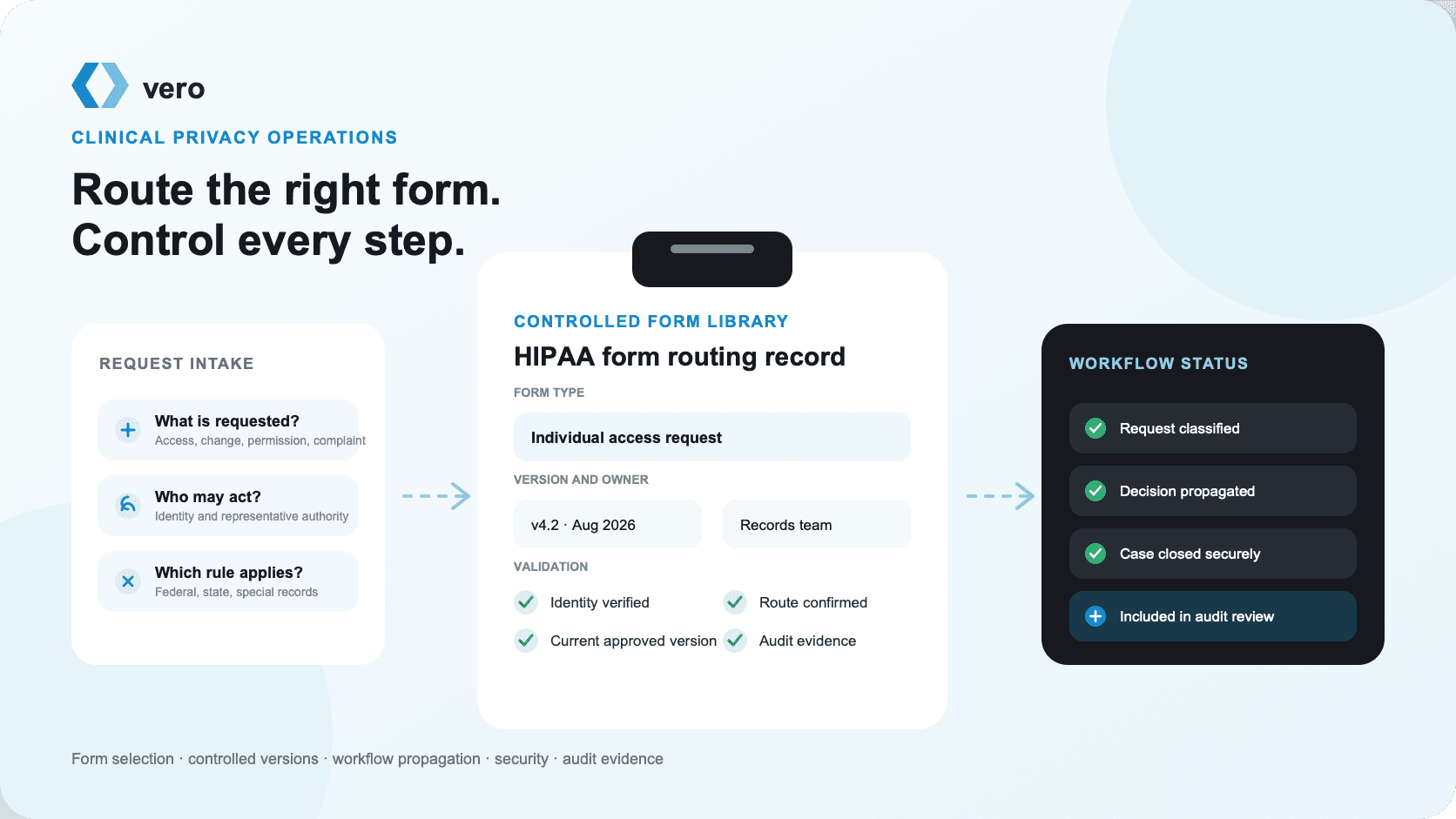
What is a HIPAA form?
“HIPAA form” is a search term and workplace shorthand, not a single category in the regulation. The HIPAA rules establish different requirements for notices, authorizations, requests, complaints, contracts, risk documentation, policies, and breach notifications. Some are patient-facing. Others are internal records or agreements between organizations.
That distinction matters because the form determines neither the law nor the outcome by itself. The team must know:
- who is making the request;
- what the person wants to happen;
- which information, use, disclosure, right, or communication is involved;
- which regulated entity holds responsibility;
- whether another person has authority to act;
- which federal, state, or record-specific rule applies; and
- which systems and teams must implement the decision.
Only then can the team select the document and instructions.
HIPAA does not require one official clinic template
HIPAA sets content and process requirements, but it does not publish one mandatory form for every covered entity and request. HHS does publish official resources for particular purposes. Its revised February 2026 model Notices of Privacy Practices help regulated organizations address current notice requirements, including the Part 2-related changes that became applicable on February 16, 2026. OCR also provides a HIPAA Privacy and Security Complaint Form Package for complaints submitted to HHS.
An organization still needs its own governed form system. The wording must fit its legal role, services, privacy practices, state-law analysis, special-record logic, intake channels, technology, accessibility obligations, and response process. Copying a form from another clinic can copy that clinic's assumptions without its controls.
A form is different from the policy and the workflow
A form captures information or communicates a choice. A policy explains the approved rule and responsibility. A workflow turns the information into action. All three must agree.
For example, a confidential communications form may ask the patient to choose a mobile number. The policy may require the clinic to accommodate reasonable requests. The workflow must update every place that can send a message, including scheduling, billing, referrals, results, portal notices, collection vendors, and automated reminders. If the PDF is stored but the old home number remains active, the form did not protect the communication.
The same pattern applies to restrictions, revocations, amendments, access requests, representative authority, and complaint handling. A completed document is evidence of input. It is not evidence that the right result occurred.
The HIPAA form routing matrix
Start with the requested outcome rather than the name used by the patient, sender, or employee. People often call every records-related document a “HIPAA release,” but 45 CFR Part 164 separates permissions and individual rights.
Match the request to the right form
Request routing
The form name, legal route, operational decision, and accountable owner should agree.
Notice of Privacy Practices acknowledgment
A direct-treatment provider gives its current Notice of Privacy Practices and makes a good-faith effort to obtain written acknowledgment of receipt.
- Key decision
- An acknowledgment records receipt. It is not consent to every use or disclosure and refusal to sign does not cancel HIPAA permissions.
- Primary owner
- Registration or privacy operations
Authorization to use or disclose PHI
A use or disclosure requires the individual’s detailed permission under 45 CFR 164.508.
- Key decision
- Validate the required elements, statements, signer authority, expiration, revocation status, purpose, and exact information scope.
- Primary owner
- Privacy or release-of-information team
Individual access request
An individual asks to inspect or obtain PHI in a designated record set under 45 CFR 164.524.
- Key decision
- Route through the access process, including identity verification, format, timing, fees, and any reviewable or unreviewable denial.
- Primary owner
- Health information management or records team
Amendment request
An individual asks to amend PHI in a designated record set under 45 CFR 164.526.
- Key decision
- Preserve the original record, route the request to the responsible decision-maker, and document acceptance, denial, or disagreement.
- Primary owner
- Health information management and responsible clinician
Restriction request
An individual asks the organization to restrict a use or disclosure under 45 CFR 164.522(a).
- Key decision
- Determine whether the request must be accepted, may be accepted, or cannot operate as requested, then make the decision visible to affected workflows.
- Primary owner
- Privacy lead with billing and clinical operations
Confidential communications request
An individual requests an alternative address or method for communications under 45 CFR 164.522(b).
- Key decision
- Implement the approved channel across scheduling, billing, portals, reminders, referrals, and other systems that can contact the person.
- Primary owner
- Privacy, registration, billing, and communications teams
Accounting of disclosures request
An individual requests an accounting of applicable disclosures under 45 CFR 164.528.
- Key decision
- Collect responsive disclosures from internal systems and business associates, apply the rule’s exclusions, and produce the accounting.
- Primary owner
- Privacy office with system and vendor owners
Privacy complaint intake
A person raises a concern about privacy practices, information rights, safeguards, or a possible HIPAA violation.
- Key decision
- Record the concern, preserve evidence, route it without retaliation, investigate under policy, and explain external OCR complaint options.
- Primary owner
- Privacy officer or designated complaint contact
Notice acknowledgment is not a blanket consent
The Notice of Privacy Practices describes how the organization may use and disclose PHI, the individual's rights, the covered entity's duties, and the contact and complaint process. A direct-treatment provider generally must make a good-faith effort to obtain written acknowledgment of receipt under 45 CFR 164.520.
HHS explains that signing the acknowledgment does not authorize special uses or disclosures. Refusing to sign also does not stop the covered entity from using or disclosing PHI as the Privacy Rule otherwise permits. The workflow should record the acknowledgment or the good-faith effort, not tell patients they have signed away every privacy choice.
The notice itself needs version control. As checked on August 26, 2026, HHS's model-notice page states that affected HIPAA covered entities must include information about Part 2 patient records in their NPPs as of February 16, 2026. A current acknowledgment attached to an obsolete notice is weak evidence.
Authorization is not the same as access
An authorization under 45 CFR 164.508 permits a defined use or disclosure when its requirements are met. It includes a meaningful description of the information, the authorized discloser, recipient, purpose, expiration, signature, date, and required statements about revocation, conditioning, and redisclosure.
An access request under 45 CFR 164.524 invokes an individual's right to inspect or obtain PHI in a designated record set, subject to the rule's exclusions and denial provisions. Access has its own identity, timing, form-and-format, fee, and response requirements. The current HHS right-of-access guidance says a covered entity may require a written request but cannot create an unreasonable barrier or delay.
If the patient's goal is “give me my records,” adding an expansive disclosure authorization may confuse the route and collect permission the organization does not need. For the detailed authorization workflow, use the separate HIPAA authorization requirements and review checklist. For broader U.S. and Canadian record-release operations, see the medical release form guide.
Amendment does not mean silent deletion
An amendment request concerns information in a designated record set under 45 CFR 164.526. The organization needs a route to receive the request, identify the record and requested change, involve the appropriate decision-maker, respond within the applicable period, and document acceptance or denial.
An accepted amendment should be linked to or incorporated into the affected record and communicated as required. A denial needs the required explanation and information about disagreement and complaint rights. The original clinical record and audit trail should not be erased simply because the patient disputes a statement. Good amendment design supports correction without destroying provenance.
Restriction and confidential communications are different controls
A restriction request asks the covered entity to limit a use or disclosure under 45 CFR 164.522(a). In most situations the covered entity may decide whether to agree, but it must follow an agreed restriction. One important exception requires a covered provider to agree to a qualifying restriction on disclosure to a health plan for a service paid in full out of pocket when the regulatory conditions are satisfied.
A confidential communications request under section 164.522(b) asks for an alternative method or location for communications. A provider must accommodate reasonable requests. The form should capture an actionable alternative, but the implementation must reach every affected channel.
Do not combine these into one generic “privacy preference” field. A communication preference and a restriction on use or disclosure produce different decisions, exceptions, owners, and system behavior.
Accounting and complaint forms need evidence beyond the chart
An accounting of disclosures under 45 CFR 164.528 covers certain disclosures during the applicable period and excludes others. A complete response can require logs and records from departments, disclosure systems, and business associates. A list of people who opened the EHR is not the same as the regulatory accounting.
A privacy complaint form is an intake path, not a waiver. The HHS Privacy Rule summary states that covered entities need procedures for complaints and must identify the internal contact in the Notice of Privacy Practices. The current OCR complaint page also explains that complaints to HHS generally must be written and filed within 180 days of when the complainant knew of the act or omission, subject to extension for good cause. Clinical teams should route concerns promptly, preserve evidence, and avoid retaliation.
Build a controlled HIPAA form library
A controlled library answers five questions for every form:
- What exact use case does this document support?
- Which law, regulation, policy, and jurisdiction informed it?
- Who approved it and who owns changes?
- Which version is active, and where can staff obtain it?
- What workflow and evidence follow submission?
The library can be a governed document system, EHR configuration, portal form service, or another controlled repository. The important properties are approval, availability, traceability, retirement, and monitoring.
Control, evidence, and failure path
Form governance
| Control | Evidence to retain | Common failure |
|---|---|---|
| Approved purpose and legal route | Form-library record naming the applicable rule, use case, exclusions, state-law review, owner, and approval date. | Staff use an authorization when access, treatment, a required disclosure, or another route applies. |
| Version and effective date | Unique form ID, revision number, effective date, retired date, approver, and a repository that exposes only the current version. | A saved desktop PDF or old portal link remains in circulation after the form changes. |
| Identity and authority | Documented verification method and, when relevant, the representative instrument, relationship, scope, and expiration. | A relationship label such as parent or power of attorney is accepted without checking authority for this request. |
| Required content and readable presentation | Field-level validation, accessibility review, device testing, language review, and retained final signed or submitted version. | Required wording is hidden, clipped, preselected, contradicted, or detached from the signature. |
| Workflow propagation | Case status, work queue, system flags, downstream acknowledgments, and an exception path for failed updates. | A valid request is stored as a scanned document but never changes billing, portal, reminder, or disclosure behavior. |
| Security and minimum access | Role-based access, approved storage, encryption, audit events, secure notifications, retention, backup, and incident procedures. | Forms containing PHI move through personal email, unmanaged downloads, shared folders, or overly broad queues. |
| Closure and monitoring | Disposition, response date, delivery proof, denial or escalation notice, quality review, metrics, and corrective action. | The team counts received forms but cannot show whether the request was completed correctly or on time. |
Approved purpose and legal route
Evidence to retain
Form-library record naming the applicable rule, use case, exclusions, state-law review, owner, and approval date.
Common failure
Staff use an authorization when access, treatment, a required disclosure, or another route applies.
Version and effective date
Evidence to retain
Unique form ID, revision number, effective date, retired date, approver, and a repository that exposes only the current version.
Common failure
A saved desktop PDF or old portal link remains in circulation after the form changes.
Identity and authority
Evidence to retain
Documented verification method and, when relevant, the representative instrument, relationship, scope, and expiration.
Common failure
A relationship label such as parent or power of attorney is accepted without checking authority for this request.
Required content and readable presentation
Evidence to retain
Field-level validation, accessibility review, device testing, language review, and retained final signed or submitted version.
Common failure
Required wording is hidden, clipped, preselected, contradicted, or detached from the signature.
Workflow propagation
Evidence to retain
Case status, work queue, system flags, downstream acknowledgments, and an exception path for failed updates.
Common failure
A valid request is stored as a scanned document but never changes billing, portal, reminder, or disclosure behavior.
Security and minimum access
Evidence to retain
Role-based access, approved storage, encryption, audit events, secure notifications, retention, backup, and incident procedures.
Common failure
Forms containing PHI move through personal email, unmanaged downloads, shared folders, or overly broad queues.
Closure and monitoring
Evidence to retain
Disposition, response date, delivery proof, denial or escalation notice, quality review, metrics, and corrective action.
Common failure
The team counts received forms but cannot show whether the request was completed correctly or on time.
Give each form a stable identity
Use a form ID, descriptive name, version, effective date, owner, language, status, and revision record. These fields should appear in the library and, where practical, on the rendered form. A file name such as HIPAA_final_v2_revised.pdf does not establish control.
Retirement is part of version management. Search public pages, portal links, EHR favorites, intranet pages, email templates, QR codes, print stations, kiosks, vendor workflows, and staff desktops for the former version. Redirect or remove old links, and explain how to handle a form signed before the change.
The current Notice of Privacy Practices deserves special attention because it is both a required communication and a dependency for other documents. If an authorization references the NPP's revocation instructions, a change to the notice can affect the authorization design.
Separate legal content from implementation instructions
The patient-facing document should be readable without exposing internal decision trees. Staff instructions should explain classification, verification, escalation, system entry, timing, and closure. The two artifacts can be connected by the same form ID and use case.
For example, an access request form may ask what records and format the person wants. The internal guide should tell staff how to identify the designated record set, validate the request reasonably, locate responsive systems, calculate an allowed fee, process a denial, and document the response. Piling all of that into the patient form can create friction without improving compliance.
Make language and accessibility part of approval
Plain language is not a cosmetic edit. A person must understand what they are acknowledging, authorizing, requesting, or declining. Test reading order, labels, required-field messages, keyboard navigation, screen-reader output, contrast, zoom, print layout, and mobile presentation. If translated forms are offered, maintain the relationship between translations and the approved source version.
Do not label optional consent as required. Do not preselect a broad disclosure scope. Do not place a signature on a screen that hides the terms. Do not make refusal appear to cancel care when the rule does not permit conditioning.
An eight-step HIPAA form workflow
The safest workflow begins before the document opens and ends after the outcome is measured.
From request to monitored outcome
Operational workflow
- 1
Classify the request before choosing a form
Identify the individual, requested outcome, information involved, intended recipient, governing entity, jurisdiction, and the HIPAA route before presenting a document.
- 2
Use the controlled form library
Retrieve the current approved form by use case and language, record its version, and prevent staff from using local copies or outdated portal links.
- 3
Explain the form without changing its meaning
Give the individual the relevant notice or instructions, distinguish required and optional choices, support accessibility and language needs, and avoid coaching a broader permission than requested.
- 4
Verify identity and representative authority
Apply reasonable identity controls and verify the signer’s authority for the patient, information, decision, purpose, and period involved.
- 5
Validate content, signature, and status
Check required fields, plain-language presentation, signature evidence, dates, expiration, revocation, known defects, and any applicable state or special-record rules.
- 6
Apply the decision across the workflow
Route the request to the correct owner and propagate approved restrictions, communication preferences, amendments, access tasks, or disclosure limits to every affected system and team.
- 7
Protect the form and resulting PHI
Use approved storage, role-based access, secure transmission, audit logging, retention, backup, vendor controls, and incident response for the form and associated records.
- 8
Close, retain, measure, and update
Record the outcome and response date, retain required evidence, reconcile exceptions, monitor defects and turnaround, retire obsolete versions, and reapprove the library when rules or workflows change.
1. Classify before collecting information
Front-desk and clinical staff need a short routing script. Ask what the person wants, not which form they think they need. Identify the patient, requestor, intended recipient, information, purpose, and time sensitivity without collecting unnecessary detail in an unsecured channel.
Common routes should be easy to recognize. Ambiguous cases should go to a privacy or records specialist. A sender's cover letter, law-firm template, insurer form, or official-looking seal does not establish the correct authority.
2. Retrieve the current approved version
The controlled repository should be the only routine source. Staff should not edit the form's legal language, remove notices to fit one page, or reuse a prior patient's completed document as a blank template. Digital systems should record the version delivered to the user.
If the required language or workflow depends on state law, service type, signer, or record category, the system should present the approved branch. Do not expect every employee to memorize exceptions hidden in policy binders.
3. Explain choices without expanding them
Staff can explain what each field means and where the form will go. They should not pressure the person to authorize a larger record set, longer duration, additional recipient, or secondary use. Required and optional choices should be visually distinct.
Give the person enough context to make the decision. When the request concerns access, explain format and delivery options. When it concerns a communication channel, clarify where the change will apply. When an authorization is needed, explain purpose, scope, expiration, revocation, and potential redisclosure in understandable terms.
4. Verify identity and authority proportionately
Identity controls should be reasonable for the channel and risk. HHS access guidance cautions against unreasonable barriers. A portal-authenticated request, in-person request, mailed request, and telephone inquiry may use different controls.
Representative authority is a separate question. “Parent,” “spouse,” “caregiver,” “executor,” and “power of attorney” are not universal permissions. Review the instrument or law, the patient and information involved, the representative's scope, any expiration, and circumstances such as minor-consented care or divided custody.
5. Validate the completed document and status
Check required content, signature and date, authority, expiration, revocation status, readability, internal consistency, and known false material information. Screen for state law and special categories such as psychotherapy notes, 42 CFR Part 2 records, genetic information, reproductive health information, minors, and other protected records.
Do not silently complete material fields after signature. A missing delivery destination may sometimes be resolved as an operational detail, while a missing recipient in an authorization can be a substantive defect. The approved procedure should distinguish correction, clarification, re-signature, denial, and escalation.
6. Propagate the approved decision
This is where many form workflows fail. The case should create tasks, flags, restrictions, communication preferences, record annotations, deadlines, or disclosure instructions in the systems that need them. Downstream owners should acknowledge receipt, and failures should enter an exception queue.
A scanned form that only one person can find is not an implemented restriction. A revoked authorization should stop pending and recurring disclosures. An accepted amendment should reach affected copies and recipients as required. A confidential communication request should change both human and automated contact paths.
7. Protect the form and related information
Completed forms often contain identifiers, diagnoses, dates, representative information, recipients, legal matters, and signatures. Treat them as sensitive records. Limit access to roles that need it, store them in the approved repository, protect transmission, avoid PHI in notification text and filenames, and audit access and change events.
If a vendor creates, receives, maintains, or transmits PHI on behalf of a covered entity or business associate, evaluate the relationship and business-associate obligations. The current HHS business-associate guidance, reviewed July 30, 2026, explains required contract terms and downstream responsibilities.
8. Close the request and measure the system
Record the response, decision, delivery, denial, extension, escalation, or other disposition. Retain the form, the version used, verification evidence, relevant correspondence, audit events, and proof that downstream steps completed.
The Privacy Rule generally requires required documentation to be retained for six years from creation or the date it was last in effect, whichever is later, under 45 CFR 164.530(j). The Security Rule has related documentation requirements. State law, medical-record retention, contract, payer, litigation-hold, and organizational rules can require a different or longer period.
Protect the form, not just the records
The currently effective HIPAA Security Rule applies to electronic PHI created, received, maintained, or transmitted by regulated entities. As checked August 26, 2026, the HHS Security Rule summary, reviewed August 7, 2026, still describes the cybersecurity update as a proposed rule and states that the current Security Rule remains in effect.
That distinction prevents two errors. Teams should not present proposed provisions as current mandates. They also should not wait for a final rule before managing known risk under current requirements.
Include forms in the risk analysis
HHS's current risk-analysis guidance says the analysis must cover all ePHI the organization creates, receives, maintains, or transmits. Forms can live in portal services, e-signature platforms, scanners, email gateways, document-management systems, EHR media tabs, backup systems, analytics tools, and vendor support environments.
Map the complete flow:
- where the blank form is published;
- how the user is authenticated;
- where entered information is temporarily stored;
- how signatures and timestamps are created;
- which systems receive the final version;
- who can view, export, alter, or delete it;
- what appears in notifications and logs;
- which vendors and subcontractors handle it;
- how long every copy remains; and
- how the organization detects and handles an incident.
NIST SP 800-66 Rev. 2 provides a current cybersecurity resource guide and mappings for implementing the HIPAA Security Rule. It is a useful implementation reference, but using a NIST checklist does not by itself establish HIPAA compliance.
Limit access without breaking the workflow
Least privilege should reflect task and role. A front-desk employee may need to receive a request but not review every responsive record. A clinician may need to decide an amendment but not administer the whole disclosure queue. A vendor may need to transmit a signed form without using its content for unrelated model training or analytics.
Test ordinary and exceptional access. Include coverage during leave, after-hours escalation, emergency communication, terminated users, role changes, vendor support, export, and audit review. Overly narrow access can create unsafe workarounds; overly broad access increases exposure.
Do not confuse a privacy form with an incident response plan
An internal privacy or security incident form can help collect facts, but staff should report the event immediately through the approved channel rather than wait to complete every field. The response team must assess whether the event is an impermissible use or disclosure, a breach of unsecured PHI, a security incident, a complaint, or another event.
For reportable breaches, the HIPAA Breach Notification Rule may require notice to affected individuals, HHS, and in some situations the media. Organizations outside HIPAA can face different rules. The FTC Health Breach Notification Rule, strengthened by amendments effective July 29, 2024, applies to covered health apps and related entities that are not covered by HIPAA.
Electronic HIPAA form requirements
Electronic forms can reduce missing fields and speed routing, but they can also hide terms, duplicate records, leak information through notifications, or create a signature without a reliable final document.
Preserve what the person actually reviewed
The record should show the complete form version, all presented terms, choices, completed fields, signature evidence, date, signer role, and final submitted document. If conditional text changes based on an answer, preserve the version the user saw.
HHS states that a HIPAA authorization may be obtained electronically when the electronic signature is valid under applicable law. That authority does not remove the authorization's required content, copy, scope, validity, or retention duties, and another form or jurisdiction may add requirements.
For workflow evidence, a signature image by itself may not show which terms were visible, whether required language was clipped, or whether the form changed later. Preserve the complete final version and use integrity controls appropriate to the document, risk, and applicable law.
Test the real devices and failure paths
Test mobile and desktop browsers, assistive technology, PDF viewers, portal sessions, timeouts, interrupted submissions, duplicate clicks, back-button behavior, expired links, copied links, printing, translated forms, and unavailable vendor services.
The safest failure is clear and recoverable. A timed-out session should not display another person's information. A partial submission should not be treated as a signed authorization. A network retry should not create conflicting requests. Staff should know whether the form arrived without asking the patient to email a screenshot.
Keep PHI out of avoidable surfaces
Use neutral notification text and case references. An email subject does not need the diagnosis or record type. A filename does not need a full patient name. Analytics should not capture free-text form fields, signatures, or URLs containing identifiers.
Review logs and support tools, too. A portal can encrypt the final PDF while exposing form content in browser telemetry, error monitoring, vendor tickets, or screen recordings.
Four fictional workflow scenarios
The following scenarios are fictional and contain no patient information. They illustrate routing and system behavior, not legal conclusions for an individual case.
The wording at intake does not determine the legal route
Fictional examples
A patient asks for their own chart
- Intake statement
- “Please send me all records from the last two years.”
- Common wrong turn
- Presenting a broad disclosure authorization because the patient used the word “send.”
- Better route
- Treat the request as a potential individual access request, verify identity reasonably, clarify scope and format, and use the access workflow.
A spouse submits a signed authorization
- Intake statement
- The spouse signs as “authorized representative” and requests imaging and visit notes.
- Common wrong turn
- Assuming the relationship itself creates authority to sign for the patient.
- Better route
- Verify the patient’s own signature or the representative authority that applies to this disclosure, then validate recipient, scope, purpose, expiration, and delivery.
A patient requests a different contact channel
- Intake statement
- “Do not leave voicemail at home. Use this mobile number only.”
- Common wrong turn
- Scanning the request into the chart without changing reminders, billing, portal, or referral workflows.
- Better route
- Process a confidential communications request and propagate the approved method to every system and vendor that may contact the patient.
A clinician receives a correction request
- Intake statement
- The patient says the record lists the wrong medication dose.
- Common wrong turn
- Deleting the original entry or editing it silently at the front desk.
- Better route
- Use the amendment workflow, preserve the original record and audit trail, route clinical review, document the decision, and link an accepted amendment or disagreement as required.
Scenario lessons
First, the requestor's vocabulary is not a reliable classification method. “Release,” “consent,” “correction,” and “private” can point to different rights and permissions.
Second, authority is granular. The ability to help schedule appointments does not automatically authorize access to the full chart or power to sign an authorization.
Third, the form must change operations. A confidential communications request needs system propagation; an amendment needs a controlled record process; a revocation needs a stop mechanism.
Finally, source and status matter. Keep the original request, version, date, signer, decision, and outcome linked so a later reviewer can reconstruct what happened without guessing.
HIPAA form compliance checklist
Use this screen after the request has been processed and before the case is closed. It does not replace the form-specific legal review. It checks whether the broader control chain is visible.
Twelve checks before closing the case
Pre-close quality screen
This browser-local checklist does not save patient information. Use it as a workflow prompt, then retain evidence in the approved system.
0 of 12
How to interpret the result
A complete checklist does not certify compliance. It means the case has evidence for twelve operational questions. Any unchecked item should have an owner and disposition before closure.
Some failures require immediate escalation. Examples include suspected misdirection, unauthorized access, an invalid signer, use of a retired form, a request that was not routed within the required period, or a restriction that failed to propagate. The team should not mark the item complete by adding a note that the problem exists.
How to audit a HIPAA form workflow
Audit the outcome, not only form completeness. A high signature-completion rate can coexist with misrouted access requests, unimplemented restrictions, delayed amendments, or insecure downloads.
Useful measures include:
- routing accuracy: percentage of sampled requests assigned to the correct legal and operational route;
- current-version use: percentage processed on the approved form version;
- first-pass validity: percentage complete and valid without material correction;
- authority exceptions: number and type of representative cases requiring escalation;
- propagation success: percentage of approved decisions confirmed in every affected system;
- response timeliness: elapsed time by request type, including extensions and overdue cases;
- secure-delivery defects: failed, misdirected, or unverified transmissions;
- revocation latency: time between receipt and effective stop across systems;
- complaint closure: age, disposition, corrective action, and recurrence;
- retired-form recurrence: where obsolete versions continue to originate; and
- incident and near-miss rate: form-related events by cause and workflow stage.
Define the denominator. “Zero invalid forms” means little if invalid requests disappear from the queue rather than being counted. Segment by channel, location, form version, language, request type, vendor, and system while protecting privacy and avoiding small-group reporting that can identify individuals.
Run a traceable sample
Select a bounded sample of closed cases and reconstruct each one from intake to outcome. Verify the original request, classification, form version, identity and authority evidence, required content, system actions, response, delivery or denial, retention, and audit trail.
Then test failure cases with synthetic data:
- expired authorization;
- revoked authorization with a pending recurring disclosure;
- access request submitted on a nonstandard but understandable document;
- confidential communication request affecting multiple vendors;
- minor with uncertain representative authority;
- amendment request involving an imported outside record;
- accounting request requiring business-associate data;
- obsolete NPP acknowledgment link; and
- mobile form that loses conditional text before signature.
The test is successful only when the system produces the approved action and leaves reviewable evidence.
Does a HIPAA form work in Canada?
No HIPAA form should be treated as a universal Canadian compliance document. HIPAA is a U.S. federal framework. Canadian organizations must identify the applicable federal, provincial, or territorial law and the role of the organization.
The Office of the Privacy Commissioner of Canada's overview explains that private-sector, public-sector, and health-specific laws can apply. Alberta, British Columbia, and Quebec have substantially similar private-sector privacy laws. Ontario, New Brunswick, Newfoundland and Labrador, and Nova Scotia have health-information laws declared substantially similar to PIPEDA for relevant activities. PIPEDA can still apply to interprovincial or international commercial data flows and in other circumstances.
The current PIPEDA requirements summary identifies accountability, consent, limiting collection, limiting use and retention, safeguards, access, and challenging compliance among the core principles. Ontario organizations may also need to apply the Personal Health Information Protection Act and guidance from the Information and Privacy Commissioner of Ontario.
The operational design can travel even when the U.S. form cannot. Canadian teams still benefit from request classification, controlled versions, identity and authority review, meaningful consent where required, secure workflows, retention, complaint handling, and audit evidence. The specific document and rule must be rebuilt for the jurisdiction.
Final implementation priorities
Start with the form inventory, not a redesign. List every patient-facing and internal privacy form, its owner, source, version, legal route, distribution points, downstream workflow, vendor dependency, and last approval date. Retire duplicates and identify gaps.
Then prioritize three controls:
- Routing: give staff one clear way to distinguish authorization, access, amendment, restriction, confidential communications, accounting, and complaints.
- Propagation: make approved decisions visible and effective in every system that can use, disclose, change, or communicate PHI.
- Evidence: retain the exact form, version, authority, decision, response, and downstream completion record.
The strongest HIPAA form is not the longest one. It is the current, understandable document connected to the correct rule and a workflow that reliably produces the intended result.
Frequently asked questions about HIPAA forms
Direct answers about HIPAA forms, authorizations, access requests, Notice of Privacy Practices acknowledgments, amendments, restrictions, confidential communications, electronic signatures, security, retention, and Canadian boundaries.
What does “HIPAA form” mean?
A HIPAA form is a document used to support a specific Privacy, Security, Breach Notification, or individual-rights workflow. The label is broad. An authorization, access request, amendment request, restriction request, confidential communications request, notice acknowledgment, accounting request, and complaint form serve different purposes.
Is there one official HIPAA form every clinic must use?
No. HIPAA defines requirements for several notices, permissions, requests, contracts, and records, but it does not prescribe one universal clinic form. HHS publishes model notices and OCR complaint forms, while each regulated organization must build or approve forms that match its role, workflow, state law, and current federal requirements.
What HIPAA forms should a clinical team maintain?
A typical clinical form library may include a Notice of Privacy Practices acknowledgment, authorization, access request, amendment request, restriction request, confidential communications request, accounting of disclosures request, authorization revocation, and privacy complaint intake. The required set depends on the organization and services.
Does signing the Notice of Privacy Practices acknowledgment give consent to disclose records?
No. The acknowledgment records receipt of the notice. HHS explains that the signature does not authorize special uses or disclosures, and a person’s refusal to sign does not remove permissions the Privacy Rule otherwise provides.
Can a clinic require its own form for a HIPAA access request?
A covered entity may require an access request to be in writing and may use its own form, but the process cannot create an unreasonable barrier or delay. The team should not convert a valid access request into a broader authorization solely because its preferred form was not used.
Show all questions
What happens after a patient submits a HIPAA amendment request?
The covered entity must process the request under 45 CFR 164.526. The workflow should preserve the original record, route the request to the responsible decision-maker, document acceptance or denial, make accepted amendments and required notifications, and support a statement of disagreement after a denial.
What is a confidential communications request form?
It records an individual’s request to receive communications by an alternative method or at an alternative location. A valid request needs operational controls across registration, billing, reminders, portals, referrals, statements, and any vendor that communicates with the individual.
Must a clinic accept every HIPAA restriction request?
No. A covered entity generally does not have to accept every requested restriction, but it must permit the request and comply with an accepted restriction. A covered provider must accept a qualifying request to restrict disclosure to a health plan for a service paid in full out of pocket when the other regulatory conditions are met.
What is an accounting of disclosures request?
It is an individual’s request for a list of certain disclosures of their PHI during the applicable period. The accounting rules contain exclusions, so the privacy team needs disclosure data from internal systems and business associates rather than a simple export of every chart access.
Can HIPAA forms be signed electronically?
Many HIPAA documents can be created or signed electronically, but validity depends on the document’s specific HIPAA requirements and other applicable law. HHS specifically says a HIPAA authorization may be obtained electronically when the electronic signature is valid under applicable law. Preserve the complete final document, terms, version, signer and authority evidence, date, and audit trail.
Can a parent or power of attorney sign a HIPAA form?
Sometimes, but authority must be verified for the specific patient, information, and decision. State law, custody, minor-consented care, the terms of an instrument, capacity, and the requested purpose can limit a parent, agent, executor, or other representative.
How long should completed HIPAA forms be retained?
HIPAA documentation required by the rules is generally retained for six years from creation or the date it was last in effect, whichever is later. State law, record-retention rules, contracts, litigation holds, payer requirements, and organizational policy may require longer retention.
Is a business associate agreement a patient HIPAA form?
No. A business associate agreement is a contract or other written arrangement between regulated parties. It allocates permitted uses, safeguards, reporting, subcontractor, access, amendment, accounting, return, destruction, and termination duties; it is not a patient authorization or notice acknowledgment.
Does a completed form make a workflow HIPAA compliant?
No. The organization must also operate appropriate policies, safeguards, role-based access, risk analysis, training, vendor controls, audit review, secure delivery, retention, incident response, and individual-rights processes. A signed PDF cannot compensate for a broken workflow.
Is the proposed HIPAA Security Rule already mandatory?
No. As of the August 26, 2026 source check, HHS describes the cybersecurity changes as a proposed rule and states that the current Security Rule remains in effect. Teams can monitor the proposal without representing proposed provisions as current requirements.
Is a breach-reporting form the same as an internal incident form?
No. An internal incident form helps capture facts and trigger assessment. If the event is a reportable breach, the covered entity may also need notifications to affected individuals, HHS, and in some cases the media under the Breach Notification Rule. Do not wait for every fact before escalating an incident internally.
Does HIPAA apply to every health app form?
No. HIPAA applies to covered entities and business associates in the regulated relationship. A consumer health app outside HIPAA may instead face FTC Act and Health Breach Notification Rule duties. Determine the entity, relationship, data flow, and applicable law before choosing the form.
Can a HIPAA form be used in Canada?
It should not be treated as a Canadian compliance form. Canadian organizations must identify the applicable federal, provincial, or territorial law and the consent, access, correction, complaint, safeguard, and retention requirements that apply. PIPEDA can coexist with or yield to substantially similar provincial laws depending on the facts.
Is a free HIPAA form template safe to use unchanged?
Not automatically. A template can be a drafting aid, but it may be outdated, designed for a different entity or state, missing a workflow, or inconsistent with the current Notice of Privacy Practices. A privacy or legal lead should approve the form, version, instructions, system behavior, and retirement process before use.
