EHR and EMR Selection Framework for Small Practices
 Sam Ellis · August 21, 2026 · 20 min read · Published by Vero Scribe Inc.
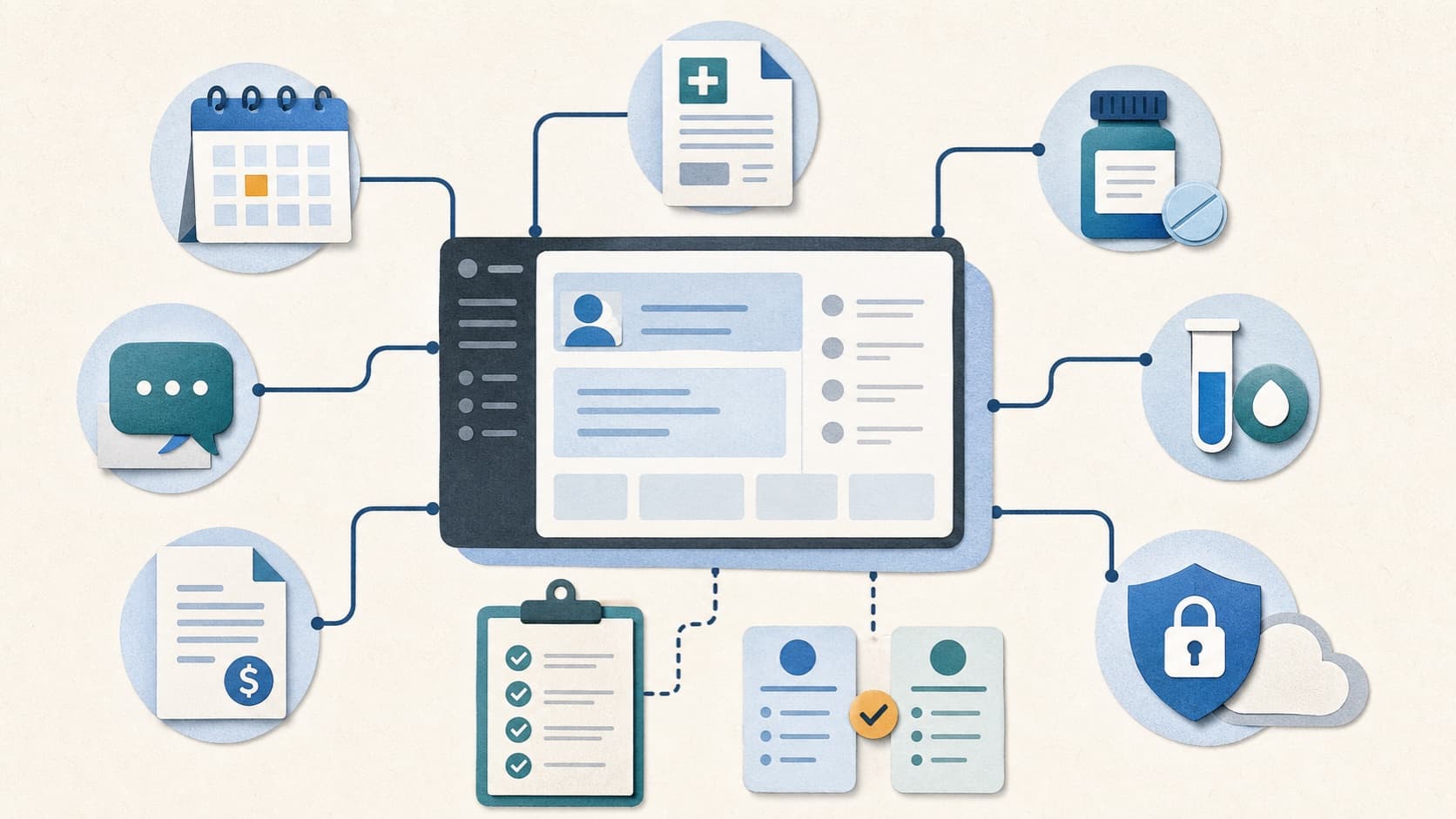
The best EHR or EMR for a small practice is the system that fits the practice's real work and survives its failure paths. It should help the team identify the right patient, complete the encounter, send orders, close results, collect payment, answer patients, protect the record, and recover from downtime without creating hidden work that the practice cannot staff.
That answer is less satisfying than a numbered list, but it is more useful. A five-provider primary care clinic with in-house billing does not have the same requirements as a solo psychiatrist, a direct primary care office, or a multispecialty group that sends claims through an outside billing service. Even two similar clinics may depend on different laboratories, pharmacies, payers, provincial services, health information exchanges, and referral networks.
This guide provides a 2026 evaluation framework for United States and Canadian small practices. It includes a real workflow map, a non-ranked product shortlist, integration constraints, security questions, a lifecycle-cost method, and an interactive scorecard. Regulatory, certification, and vendor sources were last checked on August 21, 2026.
The short answer: what is the best EHR or EMR for a small practice?
There is no defensible universal winner. The best product is the exact edition, modules, integrations, services, and contract that pass the practice's critical tests at an acceptable total cost.
For a United States practice, that usually means starting with the Certified Health IT Product List when certified capabilities are required, then matching the exact product and version to the proposal. In Ontario, the starting point is the current OntarioMD certified EMR list. Another province or territory may use different programmes, services, and requirements.
Certification narrows a claim; it does not select the system. It does not prove that a local lab connection is available, the specialty template is usable, the billing service is included, support responds quickly, or the full patient record can leave in a usable form. Those outcomes require evidence from the proposed configuration.
A practical decision has three layers:
- Hard stops: requirements that cannot fail, such as an essential connection, safe result routing, enforceable access controls, or complete data return.
- Weighted fit: areas where strengths and tradeoffs can be compared consistently.
- Contracted evidence: what the vendor is obligated to deliver, by when, at what cost, with what remedy if it does not work.
Do not average away a hard stop. A pleasant charting screen cannot compensate for a missing prescribing route, an unowned result queue, or an unusable exit export.
EHR versus EMR: use the terms carefully
An electronic medical record (EMR) often refers to the digital chart and workflows inside one practice. An electronic health record (EHR) usually emphasizes a broader longitudinal record and exchange across settings. In the market, the terms overlap. Vendors, regulators, health systems, and clinicians may use them differently.
For selection, translate the label into operations:
- Can the practice document, prescribe, order, receive results, refer, bill, communicate, report, and release records?
- Can authorized information move in and out with identity, status, source, and correction history intact?
- Can staff see failed work, assign it, and prove that it was resolved?
- Can the practice obtain a complete, understandable record if the contract ends?
The broader EMR systems guide explains product architecture, cloud and on-premises tradeoffs, and enterprise selection. The EHR interoperability guide goes deeper into FHIR, USCDI, US Core, CA Core+, referral and result testing. This page is narrower: it applies those principles to the staffing, cash flow, and operational constraints of a small practice.
Small practice is an operating model, not only a provider count
Provider count is easy to measure but incomplete. A practice can be small in headcount and still operate across multiple locations, specialties, payers, or jurisdictions. Another can have more clinicians but centralize billing, IT, and privacy work.
Write a one-page practice profile before scheduling demonstrations:
- specialties, services, and visit types;
- clinician, nurse, medical assistant, receptionist, biller, manager, and contractor roles;
- locations, remote work, mobile use, and after-hours coverage;
- average and peak visit volumes;
- prescribing, controlled-substance, laboratory, imaging, referral, registry, and public-health dependencies;
- billing model, clearinghouse, payers, payment workflow, and outsourced services;
- patient languages, disability access, portal, proxy, telephone, and paper needs;
- jurisdictions, privacy duties, certification or conformance programmes, and data-location requirements;
- expected hiring, new services, acquisitions, or location changes during the contract; and
- the hours of internal clinical, administrative, technical, and leadership capacity available for implementation.
This profile prevents a common error: buying for the product demo instead of the practice. A system can be feature-rich and still be a poor choice if the practice lacks the staff to configure, monitor, reconcile, and maintain it.
Map a real small-practice workflow
The ONC Selecting or Upgrading Health IT SAFER Guide recommends defining needs and goals and evaluating safety during selection or upgrade. For a small practice, the fastest way to make that concrete is to follow one synthetic patient through a representative day.
Do not let a vendor choose only the smooth scenario. Include a duplicate patient, changed pharmacy, rejected order, corrected result, referral that needs more information, denied claim, proxy portal request, staff departure, and a short outage. Those moments reveal the queues and manual work that a feature checklist misses.
Follow one patient and every owner through a practice day
Scripted demonstration
Use the same synthetic case for every finalist. A stage passes only when the normal path, correction path, exception owner, and evidence are visible.
- 01
Schedule and register
Owner: Front desk
Book the correct visit, confirm identity and coverage, collect forms and consent, and identify language or accessibility needs.
Acceptance evidence
A duplicate-patient warning, eligibility result, completed intake, and an owned exception queue.Failure to test
Duplicate record, stale insurance, missing referral, or intake that never reaches the clinical team. - 02
Prepare the encounter
Owner: Clinical support
Reconcile medications, allergies, outside records, preventive needs, results, and the reason for visit before the clinician enters.
Acceptance evidence
Source, status, reconciliation history, and unresolved items remain visible and attributable.Failure to test
Imported information appears complete but has not been reviewed, matched, or assigned. - 03
Document and decide
Owner: Clinician
Capture the patient story, findings, assessment, decisions, orders, and plan without losing eye contact or creating after-hours work.
Acceptance evidence
A specialty-relevant note, usable order workflow, review trail, and measured time to a signed record.Failure to test
Template noise, missing context, copy-forward errors, blocked orders, or a draft that requires extensive repair. - 04
Order and prescribe
Owner: Clinician and staff
Send prescriptions, lab and imaging orders, referrals, and instructions to the correct destination with the required status and priority.
Acceptance evidence
Downstream acknowledgement, exception routing, cancellation or correction support, and closed-loop status.Failure to test
The EHR says sent while the pharmacy, lab, imaging site, or consultant never receives usable work. - 05
Review results and messages
Owner: Inbox pool
Route preliminary, final, corrected, and urgent results plus portal, phone, and refill messages to a named owner.
Acceptance evidence
Queue age, escalation, acknowledgement, patient contact, and follow-up completion are reportable.Failure to test
A result arrives without ownership, is filed without action, or is corrected without drawing attention. - 06
Bill and reconcile
Owner: Billing
Convert documented work into charges and claims, resolve edits and denials, post payments, and reconcile clinical and financial status.
Acceptance evidence
The practice can trace a claim from note and charge through rejection, correction, payment, and patient balance.Failure to test
The clinical record and claim disagree, an interface silently drops data, or denial work is split across systems. - 07
Share, retain, and recover
Owner: Practice leadership
Provide appropriate patient access, exchange records, retain the legal record, export usable data, and continue safely during an outage.
Acceptance evidence
A representative export, access audit, downtime packet, restored queue, and reconciled post-outage work.Failure to test
Attachments are missing, export is unusable, portal access is mis-scoped, or outage work never returns to the record.
Ask every finalist to use the same script. Name the user role at each step, start with the same information, and record clicks only when they reflect meaningful work. More important, record elapsed time, interruptions, duplicated entry, system switching, unresolved exceptions, and the evidence that proves completion.
A credible demonstration should show:
- what starts the task;
- which system is authoritative;
- where the next user sees the work;
- how an acknowledgement differs from completion;
- what happens when the partner rejects or corrects information;
- who owns the exception;
- how supervisors see ageing work; and
- how the practice reconstructs the event later.
This is also a staffing test. If a workflow assumes an interface analyst, security administrator, trainer, or billing specialist the practice does not employ, identify who will perform that work and include the service in the proposal.
Non-ranked 2026 EHR and EMR shortlist
The examples below are starting points, not a ranking. They were selected because their official sites expose at least some combination of small-practice positioning, product scope, pricing, certification, API, integration, or export information. Public documentation is evidence about a published capability, not proof of customer-specific performance.
How this shortlist was built: We included non-ranked starting points whose official sites, checked August 21, 2026, showed small- or independent-practice positioning plus public evidence for at least one of pricing, certification, integrations or API access, or electronic health-information export. The list is not exhaustive, Vero did not run production workflow tests of these products for this article, and inclusion is not an endorsement. Ontario is represented by the current OntarioMD certification route because eligibility and connected services elsewhere in Canada are province- or territory-specific.
Six places to start a qualified shortlist
Non-ranked product evidence
Official product and technical sources were last checked August 21, 2026. Inclusion is not a recommendation. A practice must verify the exact proposal, current version, market, integrations, price, and service terms.
United States
Practice Fusion
- Vendor positioning
- The vendor positions its cloud EHR for solo and small independent practices and publishes a per-provider starting price.
- Public evidence
- Its public pages describe ONC certification, FHIR R4 and bulk access, and an EHI export. The exact certified version should still be checked in CHPL.
- Test before shortlisting
- Verify the annual commitment, signing and non-signing user rules, required add-ons, local lab and imaging connections, export completeness, and current API profiles.
United States
Elation Health
- Vendor positioning
- The vendor positions Elation for independent primary care, including direct primary care and membership-based models.
- Public evidence
- Public documentation describes integrations and a standardized FHIR R4 API, including a sandbox and a production connection process.
- Test before shortlisting
- Confirm specialty fit, billing approach, interface availability, integrator fees, production approval, migration scope, and required third parties.
United States
Tebra
- Vendor positioning
- The vendor positions its EHR, practice management, billing, and patient-experience tools for independent practices, including solo and group settings.
- Public evidence
- Public materials describe a cloud product, integration marketplace, and FHIR documentation. Technical documents may trail the current product, so version confirmation is essential.
- Test before shortlisting
- Ask which modules share one workflow, which require separate contracts or portals, which current FHIR and US Core versions apply, and how data exits each module.
United States
athenaOne
- Vendor positioning
- athenahealth describes ambulatory support across solo and small practices through larger medical groups, with integrated clinical and revenue workflows.
- Public evidence
- The developer portal documents FHIR, proprietary APIs, HL7 and C-CDA interfaces, import services, and EHI export routes.
- Test before shortlisting
- Verify the quoted service bundle, percentage or transaction charges, regional partners, API entitlements, implementation resources, and full exit package.
United States
DrChrono
- Vendor positioning
- The vendor positions its cloud and mobile platform for ambulatory practices, with EHR, scheduling, billing, patient engagement, and specialty workflows.
- Public evidence
- Public support documentation describes single-patient and population EHI export and notes that available product data can vary by subscription and optional service.
- Test before shortlisting
- Test the actual mobile and desktop workflows, offline limitations, support tier, billing integration, local partners, subscription-specific exports, and FHIR access.
Ontario, Canada
OntarioMD-certified offerings
- Vendor positioning
- OntarioMD maintains the current list of active and suspended certified EMR offerings, minimum versions, certification releases, and local or hosted availability.
- Public evidence
- The directory is the starting point for an Ontario shortlist. Certification status does not establish specialty fit, price, service quality, every integration, or a complete exit path.
- Test before shortlisting
- Verify active status and minimum version, provincial service integrations, hosting and data location, migration support, billing workflow, local references, and export terms.
How to read a vendor shortlist
Separate four different claims:
- Market positioning: who the vendor says the product serves.
- Certification or conformance: what a named version has been tested or certified to do.
- Technical documentation: what an interface, API, or export is designed to support.
- Local acceptance: what the proposed configuration actually does with the practice's partners, users, data, and contract.
Only the fourth establishes fit. The first three help build and test a hypothesis.
In the United States, use CHPL to verify the exact developer, product, version, status, criteria, and surveillance information. A vendor's certification page can help locate the record, but HealthIT.gov's federal disclaimer makes clear that reference to a commercial product does not constitute U.S. government or HHS endorsement. In Ontario, check the active or suspended status, minimum version, release, and hosting information in OntarioMD's directory. Then confirm the provincial integrations available to that offering.
Avoid turning a national article into a false local recommendation. Pharmacy networks, laboratories, imaging providers, payers, registries, referral services, and provincial repositories can materially change the choice. Ask for two recent references that resemble the practice in specialty, size, location, billing model, and integration footprint.
Integration constraints small practices cannot ignore
“Integrated” can mean a link, a view inside another product, a nightly file, a one-way interface, or a real two-way workflow. “FHIR enabled” can mean a patient-facing read API while the practice needs a system-to-system write operation. Ask what the connection does, which version it uses, where errors appear, who supports it, and what it costs.
The HL7 FHIR specification provides resources and exchange patterns. A product still needs the profiles, fields, searches, write operations, authorization scopes, limits, mappings, monitoring, and receiving workflow required by the use case. Inspect the exact production route rather than accepting the word FHIR as the requirement.
Verify the operation, failure path, and hidden cost
Integration test matrix
| Connection | What to verify | Scripted test | Often missed in price |
|---|---|---|---|
| Laboratory and imaging | Local partners, order direction, result statuses, units, reference ranges, attachments, corrected results, and interface ownership. | Send an order, reject it, resend it, then receive preliminary, final, corrected, and cancelled results. | Interface setup, per-connection fees, partner onboarding, mapping work, and manual reconciliation. |
| Electronic prescribing | Jurisdiction, controlled-substance support where applicable, formulary, medication history, prior authorization, renewals, and downtime. | Change a pharmacy, stop and replace a medication, process a renewal, and recover a failed transmission. | Identity proofing, tokens or devices, transaction fees, and separate enrolment timelines. |
| Billing and clearinghouse | Eligibility, charge capture, edits, claim status, remittance, patient statements, payment posting, and data ownership. | Run one clean claim and one rejection through correction and payment, then reconcile both to the clinical encounter. | Percentage fees, minimums, statement and payment fees, add-on reporting, and switching constraints. |
| Patient portal and messaging | Proxy access, release timing, result visibility, forms, accessibility, message routing, notifications, and account recovery. | Use adult, adolescent, proxy, duplicate-account, corrected-result, and inaccessible-message scenarios. | Text messages, payment processing, interfaces, support burden, and a second portal from another module. |
| FHIR, exchange, and external apps | Exact FHIR release and profiles, read versus write operations, SMART scopes, bulk export, rate limits, fees, and production approval. | Inspect the CapabilityStatement, authorize least privilege, run the required operation, provoke an error, and inspect audit logs. | Sandbox access, API licences, integration partners, production certification, support tiers, and version changes. |
| Data migration and exit | Structured history, scanned documents, attachments, messages, tasks, audit data, financial records, provenance, and deletion terms. | Reconcile a representative converted chart and open the same patient in a full exit export without vendor-only software. | Extraction, mapping, cleanup, validation, archive access, overlapping subscriptions, and contract termination assistance. |
Local availability beats a marketplace logo
An integration marketplace establishes that some relationship exists. It may not establish availability in the practice's region, compatibility with the proposed edition, production approval, implementation timing, transaction direction, or support ownership.
For each critical connection, create a one-line requirement:
When a named event occurs, the named user must complete the named action with specified data and acknowledgement within the target time. A named owner must see and resolve a rejection, correction, duplicate, or outage.
Then attach the observed test result, module, partner, version, setup fee, recurring fee, support boundary, and contract commitment. This turns “we integrate with labs” into something the practice can accept or reject.
Migration is an integration with history
Migration is not complete when files arrive. The team must decide what remains structured, what becomes a document, what is left in an archive, and how unresolved work moves. Test patients with duplicate identities, long medication histories, corrected results, scanned documents, proxy relationships, future appointments, open claims, credit balances, and pending referrals.
Reconcile counts and meaning. A converted medication total can match while statuses or dates are wrong. A document count can match while attachments no longer open. A billing balance can match while the transaction history needed for appeal is missing.
Security and resilience questions for a small practice
Small practices often have less internal security capacity, not less sensitive information. The current HHS Health Industry Cybersecurity Practices: Technical Volume 1 for Small Healthcare Organizations (2023 Edition, source checked August 21, 2026) is written for that operating reality. HHS risk-analysis guidance and NIST SP 800-66 Revision 2 provide a structured basis for organizations subject to the HIPAA Security Rule.
The vendor's control report or certification may support review. The practice still has to examine the proposed data flow, configuration, devices, accounts, integrations, subprocessors, support access, and local downtime operation.
Six questions a small practice can operationalize
Security evidence request
Ask for evidence tied to the proposed data flow. A certificate or questionnaire can support the review, but it cannot replace configuration and recovery tests.
Identity and roles
Can the practice enforce multifactor authentication, least privilege, separate administrator accounts, break-glass access, and prompt termination?
Auditability
Which patient views, searches, exports, changes, disclosures, support sessions, and administrative actions are logged and retained?
Data flow and suppliers
Where does health information travel, which subprocessors and regions are involved, and what data is used for support, analytics, or model improvement?
Resilience
What recovery time and recovery point have been tested, how are backups isolated, and how does the practice work during an outage?
Detection and response
How are suspicious access, ransomware, exfiltration, interface failure, and supplier incidents detected, contained, communicated, and investigated?
Contract and exit
Who owns the data, what return and deletion duties apply, and what happens to access, integrations, exports, and backups at termination?
Test recovery, not only backup language
The CISA ransomware guide emphasizes preparation, response, and recovery. For an EHR, recovery also means reconciling prescriptions, orders, results, messages, claims, and notes created or received during downtime.
Run a tabletop and a practical test. Disable a user, interrupt one interface, make the application unavailable, use the downtime process, restore service, replay queued work, identify duplicates, and reconcile the patient record. Measure how long staff can work safely and how much follow-up the recovery creates.
For a small team, an elaborate plan that nobody can execute is not resilience. Assign named people, accessible instructions, printed or securely available critical information, vendor contacts, decision thresholds, and a recurring exercise date.
Compare total lifecycle cost, not a subscription
A public price can be useful, but it is only one line in the cost model. Compare every finalist over the same term, provider and staff count, locations, visit volume, integrations, support level, and growth assumptions.
Include:
- provider, signing-user, staff, administrator, location, and module licences;
- implementation, configuration, project management, conversion, cleanup, and validation;
- prescribing enrolment, laboratory, imaging, clearinghouse, API, exchange, device, and payment connections;
- claims, eligibility, remittance, statements, text messages, payments, storage, and other transaction charges;
- computers, mobile devices, scanners, printers, networking, identity tools, security services, and backup needs;
- training, reduced schedules, temporary help, overtime, support tiers, and internal leadership time;
- old-and-new system overlap, archive access, downtime, workarounds, and productivity stabilization;
- new providers, locations, specialties, higher volume, and future modules;
- data export, contract termination, migration assistance, archive retention, and verified deletion; and
- the financial effect of denials, missed charges, slow payment posting, and staff work created by the workflow.
Do not assign speculative savings to close a business case. Measure a baseline before selection: time to complete a note, result and message age, claim rejection, denial rework, days in accounts receivable, patient call volume, portal completion, duplicate records, support effort, and after-hours work. Use the same definitions during the pilot and after launch.
Read the pricing unit carefully
“Per provider” may distinguish signing and non-signing users. A low base price may exclude billing, controlled-substance prescribing, interfaces, support, onboarding, data conversion, or required third-party software. A percentage-based service may bundle work that another quote lists separately.
Build a quote reconciliation table. Every requested workflow should map to a product, module, service, owner, one-time cost, recurring cost, transaction cost, assumption, and contract section. Anything marked “included” should still have a defined scope.
A nine-step small-practice EHR selection process
1. Define the practice profile
Use the one-page profile above. Add the three outcomes the practice most needs, the three risks it cannot accept, and the operational metrics that will establish improvement.
2. Map one representative day
Observe the current process before designing the future one. Include paper, spreadsheets, fax, telephone, portal, third-party sites, and staff memory. Hidden work is still work.
3. Set hard stops and weights before demos
Set the scorecard before a persuasive presenter changes priorities. Have each role approve the relevant acceptance evidence and identify what requires specialist review.
4. Build a jurisdiction-qualified shortlist
Confirm certification or local eligibility, product version, market availability, and critical partner connections. Remove any product that fails a true hard stop before consuming staff time.
5. Run identical scripted demonstrations
Use synthetic patients and the same cases. Ask the vendor to perform work live in the proposed edition. Label slideware, a roadmap, a partner handoff, and an observed workflow differently in the notes.
6. Validate migration, integrations, and export
Test the exact partners and directions. Reconcile converted records with clinical and financial owners. Open a representative exit export independently and record missing or transformed data.
7. Review security, privacy, and recovery
Map the data flow, inspect evidence, test account administration and audit logs, exercise downtime, and connect every responsibility to the vendor, practice, or another supplier.
8. Reconcile cost and negotiate the contract
Price the full lifecycle. Put versions, integrations, services, conversion scope, acceptance tests, service levels, support, change notice, data return, deletion, fees, remedies, and transition assistance into the agreement.
9. Pilot, go live in control, and monitor
Pilot representative roles and workflows. Define go-live entry and stop criteria, daily reconciliation, escalation, command ownership, and rollback or contingency. After launch, monitor both system performance and staff workarounds.
Score each finalist with observed evidence
The scorecard below uses seven categories totaling 100 points. A score of 5 should require a complete, production-relevant test with evidence. A score of 3 may reflect partial success with manageable work. A presentation, assertion, or future roadmap should receive 0 until the required evidence exists.
Small-practice EHR and EMR scorecard
Reusable evaluation tool
Score only observed evidence from 0 to 5. Keep hard stops outside the average so a polished interface cannot offset an unsafe or unusable result.
Weighted result
0.0 / 100
Hard stops
- The exact required product or module lacks applicable certification, conformance, or jurisdictional eligibility.
- A critical result, referral, prescription, or patient identity failure has no visible exception path and named owner.
- The proposed configuration cannot enforce required access controls, provide usable audit evidence, or support a safe downtime workflow.
- The vendor will not provide a representative full-record export, migration reconciliation process, or workable exit terms.
- A critical local laboratory, imaging, pharmacy, payer, billing, or provincial connection is unavailable or only described as future work.
Keep a short evidence note beside every score: test ID, date, environment, product version, user role, result, limitation, owner, and source. If stakeholders score differently, discuss the evidence rather than averaging opinions immediately.
The weighting is a starting point. A behavioural-health practice may raise privacy and specialty workflow weight. A cash-pay direct primary care practice may reduce insurance billing weight and increase membership, communication, and patient-access requirements. The total must remain 100, and hard stops remain separate.
Implementation, migration, and go-live
Selection ends with a preferred proposal; implementation proves whether the proposal works. Build the implementation plan around dependencies and acceptance, not a ceremonial launch date.
Assign work the practice can actually staff
Name a decision owner, clinical lead, front-desk lead, billing lead, privacy and security lead, technical or integration lead, training lead, and vendor counterpart. One person may hold several roles, but the work cannot be ownerless.
Reserve time for configuration decisions, data cleanup, interface testing, training, policy changes, patient communication, claim testing, downtime preparation, and reconciliation. If normal schedules leave no capacity, reduce workload or purchase implementation support rather than expecting the work to disappear.
Use acceptance gates
Examples of gates include:
- representative records converted and reconciled within agreed tolerance;
- required pharmacies, labs, imaging sites, payers, and other partners tested end to end;
- user roles, multifactor authentication, audit review, and termination tested;
- clean and rejected claims processed through resolution and posting;
- portal and proxy scenarios validated;
- downtime and recovery exercise completed;
- support and escalation contacts proven; and
- a representative full export opened and reconciled.
Do not let a calendar date convert an unresolved hard stop into accepted risk without an explicit accountable decision.
Monitor the work after launch
Track measures that reveal clinical and operational failure: oldest unreviewed result, unresolved referral, message age, failed prescription, interface queue, duplicate patient, unsigned note, claim rejection, denial, payment reconciliation, support response, access-review completion, portal issue, and time spent on workarounds.
Meet frequently during stabilization. Close each issue with a cause, owner, workaround, correction, validation, and decision about whether another record or workflow was affected. Retest after vendor updates or significant configuration changes.
Red flags during an EHR or EMR purchase
Slow down when:
- the demo uses a different edition from the quote;
- “certified,” “integrated,” “FHIR,” “secure,” or “unlimited” is not connected to a version, operation, evidence, and contract term;
- pricing omits users, modules, interfaces, transactions, implementation, support, or exit;
- the vendor will not show rejected work, corrected results, downtime, audit logs, or full export;
- the proposed workflow depends on staff or technical skills the practice does not have;
- local partner connectivity is described as common but not verified for the practice;
- references differ materially in specialty, size, region, billing, or implementation period;
- roadmap items are scored as current capability;
- data return requires vendor-only software or excludes important record classes; or
- the practice is pressured to sign before security, privacy, migration, and contract review are complete.
A good vendor should be able to explain boundaries. Clear limitations and a specific remediation plan are more trustworthy than a claim that every workflow is seamless.
Where Vero fits
Vero Scribe is a clinical documentation assistant, not an EHR or EMR. If a practice evaluates Vero or another documentation tool beside an EHR, test the combined workflow: permitted input, draft generation, clinician correction, final approval, transfer to the record, failed transfer, audit evidence, and removal of temporary data according to the applicable configuration and agreement.
The same rule applies to every add-on. The practice owns the end-to-end workflow even when multiple vendors supply its parts.
About the writer
Sam Ellis is a Vero contributor covering patient workflows, healthcare privacy, compliance, and clinical technology evaluation. Sam's published work appears on the author profile and follows Vero's editorial and corrections policy. Specialist review is credited after it is completed.
Sources and verification notes
- ONC Selecting or Upgrading Health IT SAFER Guide
- Certified Health IT Product List
- ONC SAFER Guides
- HHS Health Industry Cybersecurity Practices, Technical Volume 1 for Small Healthcare Organizations (2023 Edition)
- HHS Security Risk Analysis Guidance
- NIST SP 800-66 Revision 2
- CISA Ransomware Guide
- HL7 FHIR
- OntarioMD Certified EMR Offerings
- OntarioMD EMR Certification
- OntarioMD Integrated EHR Products and Contextual Launch Services
Vendor product and technical sources are linked directly in the non-ranked shortlist. Certification, security, interoperability, and vendor sources were last checked on August 21, 2026.
Frequently asked questions about EHR and EMR systems for small practices
Direct answers about selecting, testing, pricing, securing, integrating, migrating, and monitoring an EHR or EMR for a small or private practice.
What is the best EMR for a small practice in 2026?
There is no universal best EMR for every small practice. The strongest choice is the product and service configuration that passes the practice’s real clinical, billing, integration, security, migration, and exit tests within its jurisdiction and lifecycle budget.
What is the difference between an EHR and an EMR for a small practice?
EMR often describes the digital record used inside one practice, while EHR emphasizes exchange and use across organizations. Vendors and buyers use the terms inconsistently, so evaluate actual workflows, interfaces, data rights, and services instead of relying on the label.
How should a solo physician choose an EHR?
Map a representative day, identify non-negotiable local connections, set hard stops, run the same synthetic demonstration for each finalist, inspect security and export evidence, price the full lifecycle, call similar references, and pilot before full migration.
Should a small medical practice choose a cloud EHR?
Cloud delivery can reduce local server work, but it does not remove customer responsibility. The practice still needs identity controls, secure devices, vendor oversight, reliable connectivity, tested downtime procedures, contract clarity, data export, and recovery evidence.
How much does an EHR for a small practice cost?
Compare the same period and scope. Include licences, signing and non-signing users, setup, migration, interfaces, clearinghouse and transaction fees, devices, training, support, internal labour, overlap, downtime, growth, data export, and termination rather than only the advertised subscription.
Is the cheapest EHR the best option for a private practice?
Usually not by price alone. A low subscription can become expensive when billing, interfaces, support, migration, staff work, failed workflows, or export are excluded. Score total lifecycle cost beside observed workflow and risk evidence.
Show all questions
Which EHR features matter most for a small practice?
The critical features are the ones that complete the practice’s high-volume and high-risk work: identity, scheduling, documentation, prescribing, orders, results, referrals, messages, billing, patient access, reporting, security, downtime, and data portability.
Does ONC certification mean an EHR is good for my practice?
No. ONC certification supports defined claims about a named product and version. It does not prove specialty fit, usability, local partner connectivity, implementation quality, complete service scope, price, or safe performance in the practice’s end-to-end workflow.
How do I verify that a US EHR is certified?
Search the Certified Health IT Product List and match the exact developer, product, version, status, certification criteria, modules, and any surveillance or nonconformity information to the vendor proposal. Do not accept a generic certification logo as sufficient evidence.
How do I verify an EMR for an Ontario practice?
Start with OntarioMD’s current certified offerings and confirm active status, minimum version, certification release, hosting model, and supported provincial services. Then test specialty workflow, billing, local partners, support, migration, security, price, and exit terms.
What EHR integrations should a small practice test?
Test the partners and directions the practice will actually use: pharmacy, laboratory, imaging, referrals, billing and clearinghouse, portal, payments, public health, registries, health information exchange, FHIR apps, devices, and full data export.
What does FHIR support mean in an EHR proposal?
FHIR support is incomplete without the release, implementation guide, profiles, resources, read and write operations, search parameters, SMART scopes, bulk access, limits, fees, approval process, and error handling required by the specific workflow.
How should a small practice evaluate EHR security?
Map the real data flow and request evidence for multifactor authentication, roles, audit logs, encryption, subprocessors, monitoring, vulnerability management, backup, recovery, incident notification, secure support, retention, deletion, and tested downtime operations.
What data should be migrated to a new EHR?
Decide clinically and operationally. Common scope includes demographics, problems, medications, allergies, immunizations, results, notes, documents, images, messages, tasks, appointments, billing data, audit history, provenance, and unresolved work. Validate representative records and totals.
How can a practice test EHR data export before signing?
Request a representative export containing structured data, documents, attachments, messages, tasks, financial records, provenance, and audit information. Open it without vendor-only software, reconcile it to the source, and record missing fields, transformations, fees, timing, and support needs.
How long does a small-practice EHR implementation take?
There is no reliable universal duration. Timing depends on data quality, integrations, prescribing enrolment, configuration, training, billing, partner onboarding, testing, staff capacity, and migration scope. Ask for a dependency-based plan with acceptance criteria, not only a target date.
Should a small practice use one integrated EHR and billing platform?
A single platform can reduce handoffs, but only if the shared workflow actually works. Compare it with best-of-breed options using the same claim, denial, payment, reporting, interface, contract, export, and downtime tests. Integrated branding does not guarantee integrated data or support.
How many vendors should a small practice shortlist?
Usually enough to preserve a real choice while allowing serious testing. Three jurisdiction-qualified finalists is often manageable, but the right number depends on market availability and hard stops. A long list of superficial demos is weaker than a small list tested consistently.
Who should participate in EHR selection?
Include at least a clinician, clinical support user, front-desk user, billing owner, practice decision-maker, privacy or security lead, and a health-IT specialist when available. Patients or accessibility advisors can improve portal and communication testing.
What should a small practice monitor after EHR go-live?
Track unresolved results and referrals, message age, prescribing and interface failures, duplicate records, note completion, claim rejection and denial, payment reconciliation, support response, downtime, access review, user workarounds, patient access, and export readiness.
